
ByteByson Release Notes v2026.11.21

ByteByson is the SFTP and FTPS download manager for Mac. Version 2026.11.21 is our biggest update so far. ByteByson now moves files directly between Macs, too: your own Macs from anywhere, and chosen folders with the people you invite.
Get ByteByson Now
Download ByteByson here.
Overview
- Get the files on your home Mac from anywhere. Left a large file on the Mac at home? Open ByteByson on your laptop and download it from a hotel, a café, or your phone's hotspot. You do not have to copy files to a cloud drive before you leave, pay for cloud storage, or change your router.
- Share one folder with one person, and nothing else. Invite a colleague's or a client's Mac, and choose exactly which folders it can see. A client can send you 60 GB of video without an upload service or a link that expires next week.
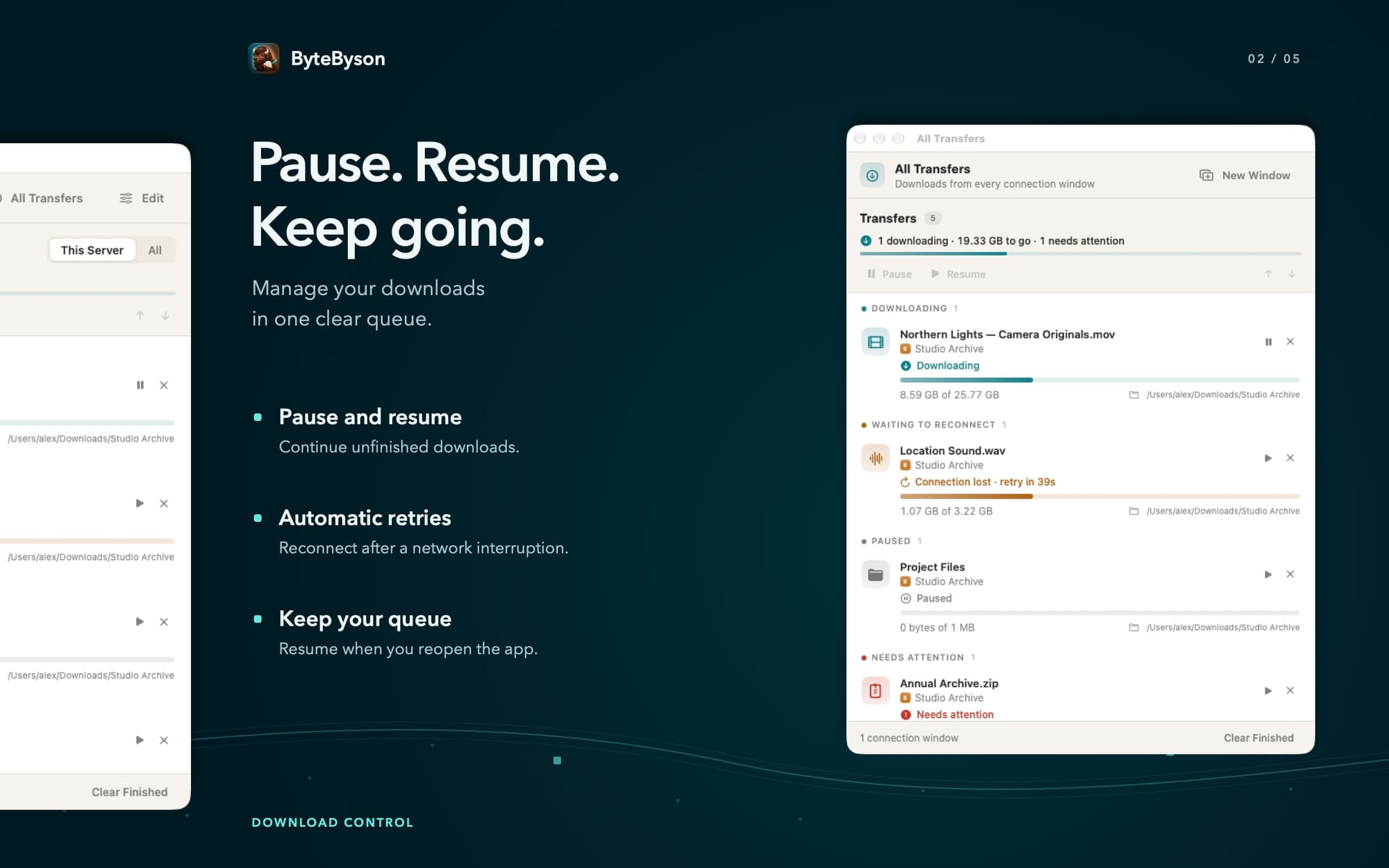
- Large files arrive complete, even on bad Wi-Fi. If the connection drops or you close the lid, ByteByson continues from where it stopped. ByteByson checks each file before it takes its final name, so a finished file is a complete file.
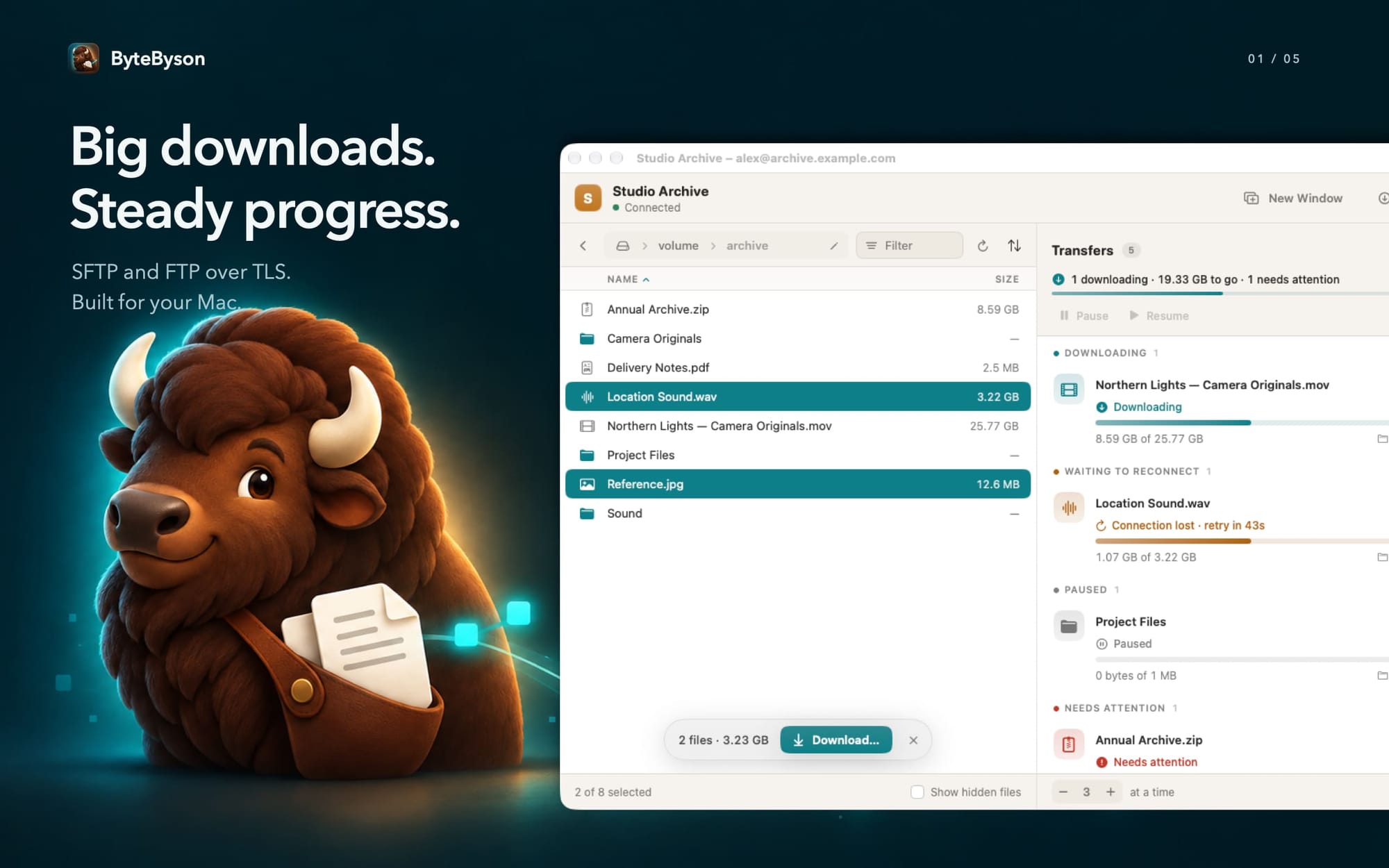
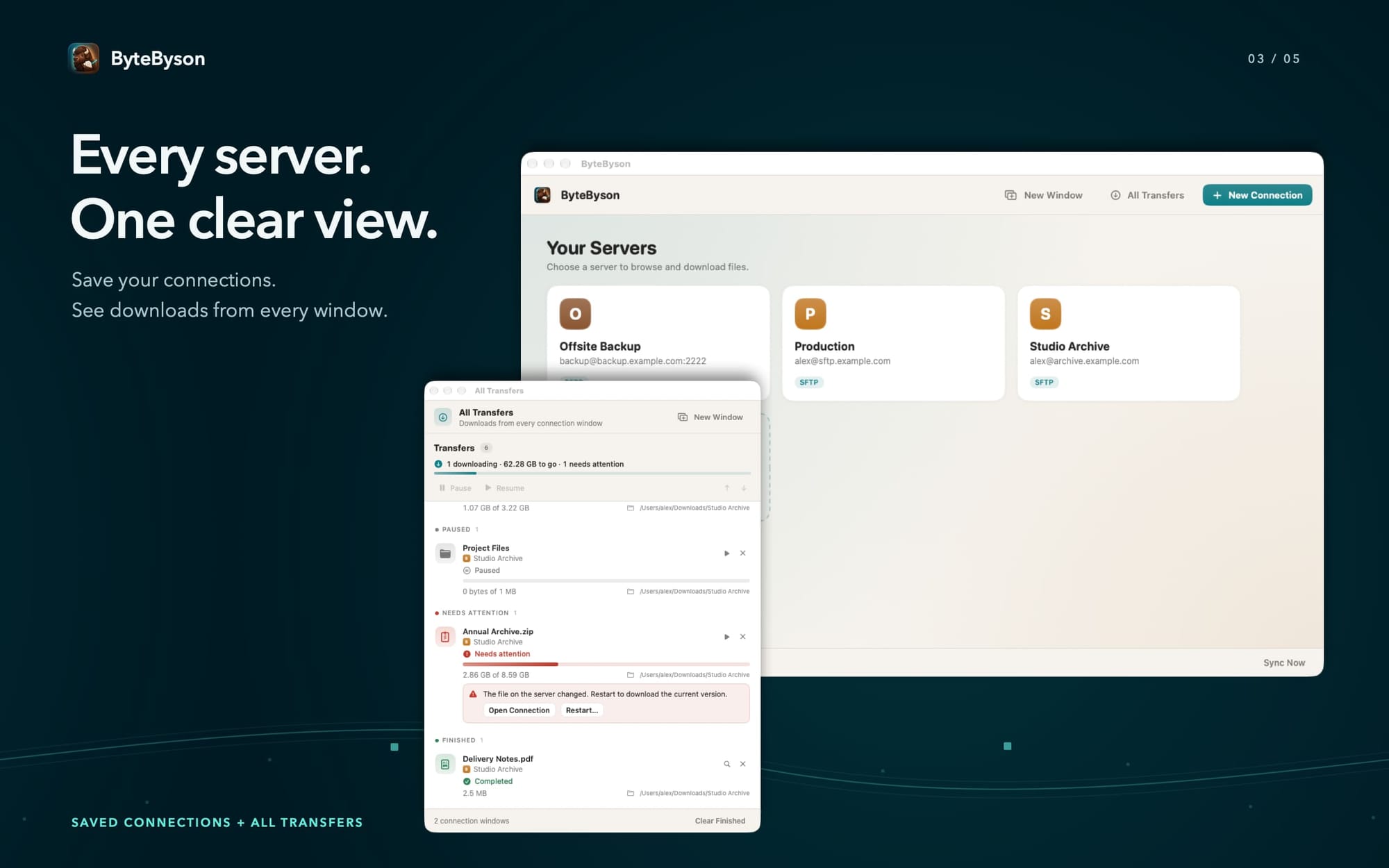
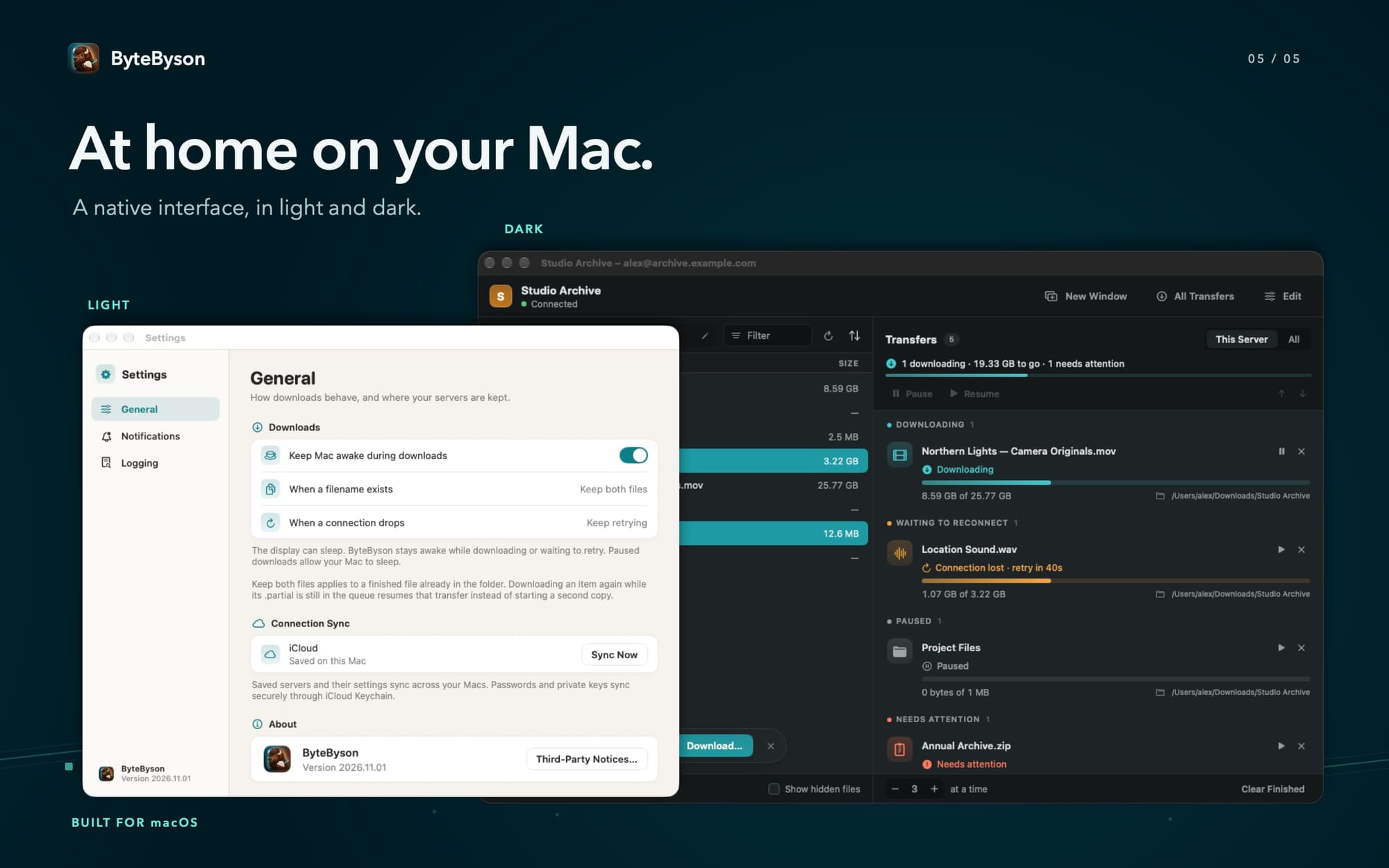
- A new look that always shows where your files are. The redesigned app shows each server as a card. Your downloads are sorted into clear groups, such as Downloading, Paused, and Needs Attention, so you see what needs you in one look.
- Always ready, never in the way. A new menu bar icon shows when files are moving or need your attention. ByteByson can open quietly when you log in and hide its Dock icon, so your shared folders stay available without clutter.
- Downloads that survive a restart. Interrupted downloads now continue after you restart your Mac, including downloads to external drives.
Mac-to-Mac file sharing
ByteByson now connects your Macs directly, so you can transfer files between Macs over the internet without a cloud service in the middle.
Reach your own Macs from anywhere
Sign in with the same Apple ID on each Mac. On your home or office Mac, choose the folders that your other Macs can reach. That is the full setup.
- Browse and download from your other Mac as if it were next to you. This saves the trip home, and it saves the cloud subscription that you would otherwise need for large files.
- Send files back home. Upload finished work into a folder that you allowed to receive files. ByteByson adds new files only. It never replaces or deletes the files that are already there, so you cannot lose work by mistake.
- No router or VPN setup. The two Macs connect over an encrypted connection, directly when the network allows it. You do not need technical knowledge to start.
- Your files do not wait in the cloud. Files go straight from one Mac's drive to the other. No cloud service keeps a copy, so your files stay private.
Share chosen folders with the people you invite
Invite another person's Mac, and give it access to only the folders it needs. Your photos, your tax returns, and everything else stay out of view.
- Invite in seconds. Send an invitation through Messages or Mail, or read a short code over the phone. Each invitation admits one Mac and expires soon after you create it, so a forwarded invitation is of no use to anyone else.
- Choose what each Mac can do. "Read" lets a Mac browse and download. "Receive files" lets it send new files into a folder, like a drop box: the other person can send files but cannot look around. Choose both when they need both.
- Access ends when you want it to. Set an end date, so access stops on Friday without you having to remember. You can also require your approval before a new device connects.
- Remove access at any time. The removal takes effect on your Mac immediately, even when the internet service behind the invitations is unavailable.
- See who is connected. While someone is connected, your Mac shows which Mac it is, what it is transferring, and the progress and speed.
Built for large files and unreliable connections
- Transfers continue after an interruption. If Wi-Fi drops or your Mac goes to sleep, ByteByson remembers what already arrived and continues when you reconnect. You do not start a large transfer again from zero.
- Every file is checked. A file takes its final name only after ByteByson verifies it, so you never open a half-copied file.
- Your existing files are safe. When a received item has the same name as an item you already have, ByteByson keeps both.
- No surprises before a transfer. If some items cannot be copied exactly, ByteByson tells you before the transfer starts, and you decide whether to continue.
- iCloud Drive files work too. ByteByson downloads files that are stored only in iCloud before it sends them, and shows that progress separately.
- Copies work like the originals. Scripts and tools keep their permissions, so they run on the receiving Mac the same way they did on the sending Mac.
- Track progress your way. Shared transfers appear in All Transfers and in Finder, with the same alerts and keep-awake settings as your downloads.
A redesigned interface
ByteByson has a new design that makes it easier to see where each file comes from, where it is going, and how far along it is.
- Your servers at a glance. The home window shows each saved server as a card in its own color, with its address and live download counts. You find the right server faster.
- Faster folder browsing. A clickable path bar shows where you are. A filter finds files in large folders, and you can type a path to go straight to a folder. Sort by any column, and download a file with one click on its download arrow.
- A download list that tells you what needs you. Downloads are grouped as Downloading, Up Next, Waiting to Reconnect, Paused, Needs Attention, and Finished. One progress bar shows the full queue. A folder download shows the name of the file that it is downloading now. To change the queue order, use Move Earlier and Move Later.
- Simpler settings. Settings now uses a sidebar, so every option is one click away.
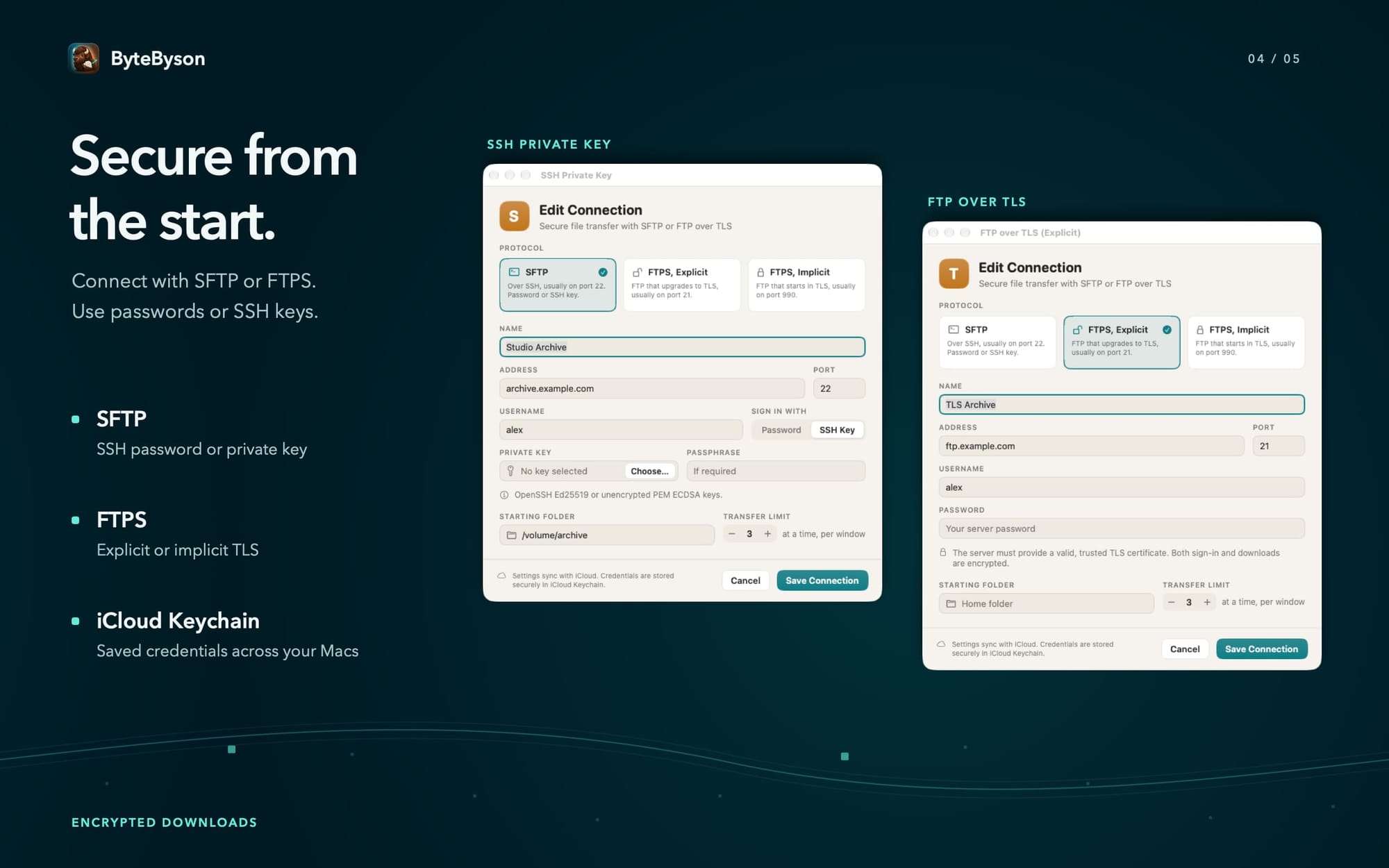
- Clearer connection setup. Choose SFTP or FTPS from clear options, and fill in clearly labeled fields.
Runs quietly in the background
Your shared folders are available only while ByteByson is open. These new options keep ByteByson ready without getting in your way.
- Menu bar icon. The icon shows at a glance when files are moving or when something needs your attention. Click it to see current transfers and to open your saved servers and Macs, All Transfers, Invite a Mac, and Settings. Turn the icon on or off in Settings, General.
- Open at login. Turn on "Open ByteByson at login" in Settings, General. When you share your first folder, ByteByson asks once whether it should open at login, because that is when it matters. At login, ByteByson opens with no window, so your desktop stays clean.
- Hide the Dock icon. Turn on "Hide the Dock icon when no window is open" in Settings, General. ByteByson then keeps only its menu bar icon while no window is open. It returns to the Dock when you open a window. This option is off by default.
Easier help and support
- A new Support tab in Settings. Describe what happened, add your email address for a reply, choose a time range, and send your diagnostic logs in one step. We get the details that we need to help you, and you do not have to find and attach files.
- Simpler logging settings. One switch turns diagnostic logs on or off. The Send Logs button is next to it.
Get ByteByson
ByteByson needs macOS 15.6 or later. To use Mac-to-Mac sharing, install ByteByson on each Mac.