
ByteByson: Dependable Downloading for Mac

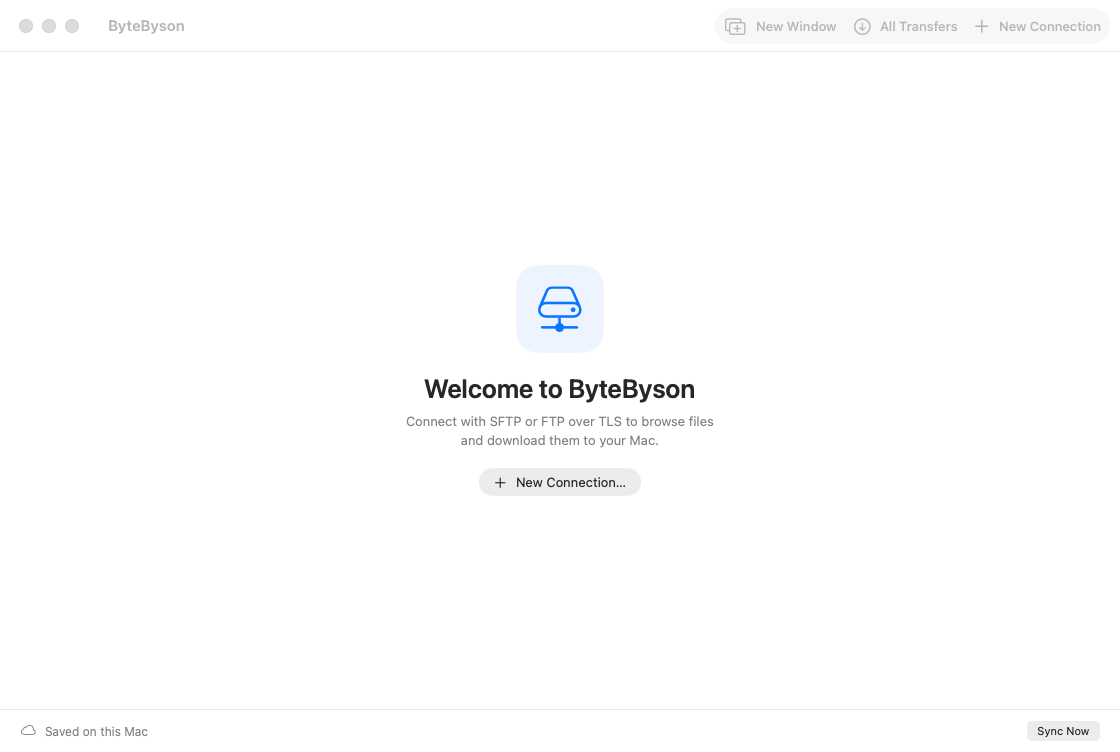
ByteByson is a Mac app for downloading files from your servers over SFTP and FTP over TLS (FTPS). It is built for the downloads that take hours: large video files, disk images, backups, whole folders of project files. Start them and get on with your day. ByteByson keeps going through dropped connections, sleeping Macs and restarts, and tells you when everything has arrived.
Get ByteByson Now
- Mac App Store
- TestFlight
- Web Download (notarized by Apple)
Why ByteByson
A long download over the internet rarely runs uninterrupted. Wi-Fi drops, a laptop lid closes, a server restarts, or a connection stalls without ever reporting an error. When that happens halfway through a 40 GB file, you shouldn't have to notice, reconnect and start again. ByteByson expects the connection to fail at some point and is designed around it. Every download is saved as it goes, resumed from where it stopped, and retried for as long as takes. It does one job, getting files from your servers onto your Mac, and it does that job without needing you to watch.
Downloads That Finish
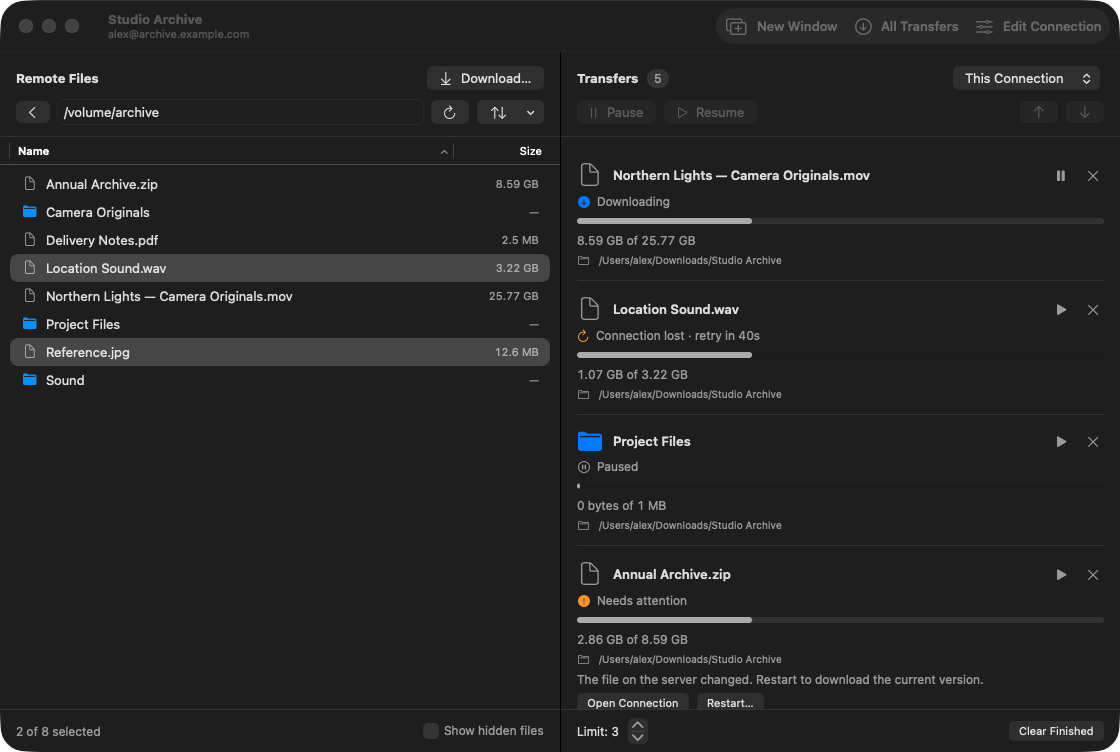
- Picks up where it left off. An interrupted download resumes from the last byte safely written, not from the beginning. Before continuing, ByteByson checks that the file onthe server is still the one it started with. If the file has changed, ByteByson asks you before starting over.
- Keeps trying. Lost connections, stalled transfers and servers that are briefly unavailable are retried automatically after 5, 15 and 30 seconds, then once a minute for as long as it takes. When your Mac wakes or joins a network, it tries again sooner.
- Notices a stalled connection, not just a dropped one, so a download never sits frozen on a connection that has quietly died.
- Survives quitting and restarting. The download queue is saved every time it changes. If you quit ByteByson, restart your Mac or recover from a crash, unfinished downloads carry on when you open it again. Anything you paused stays paused.
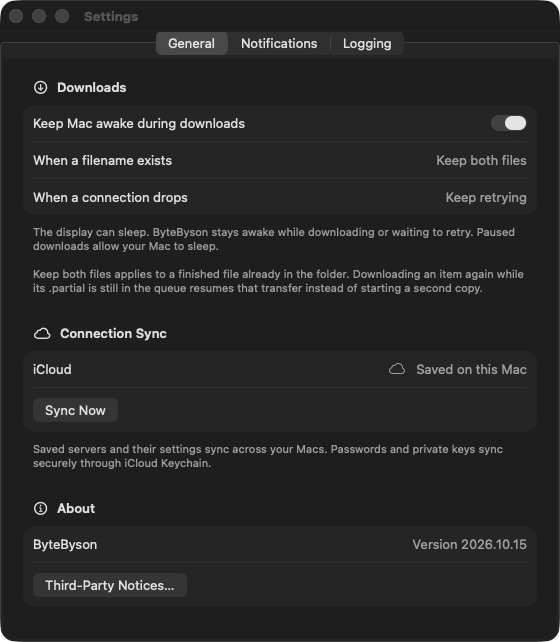
- Keeps your Mac awake while downloads are running or waiting to reconnect, if you want it to.
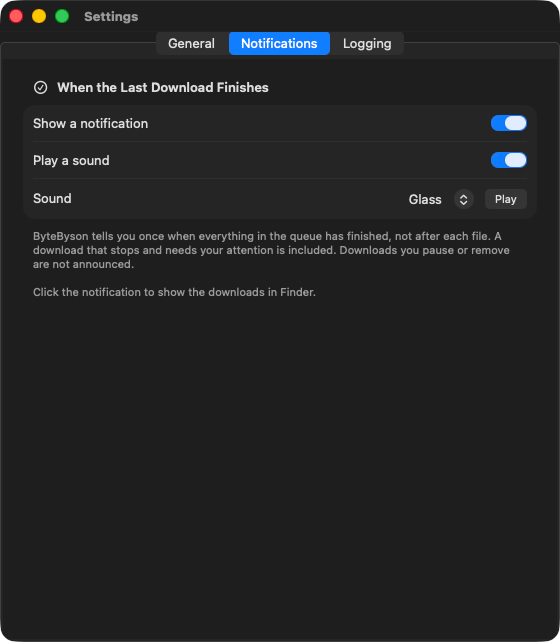
- Tells you once when it's done. A notification and a sound arrive when the last download in the queue finishes, not after every file. Click the notification to see yourdownloads in Finder. You'll also hear about any download that stopped and needs your attention.
- Handles big files and whole folders. ByteByson has no file-size limit of its own, and it has been tested end to end with a file of more than 25 GB, checked against the original's checksum. Download a folder and everything inside it comes too.
Made for the Mac
- Drag straight to Finder. Drag files or folders from ByteByson into a Finder window, or select them and click Download… to choose a folder.
- Watch progress in Finder. Each download appears in its folder right away as a
.partialfile with Finder's own progress bar, and you can cancel it from Finder too. When the download finishes, the file takes its real name. - Never overwrites anything. If a file with the same name already exists, even one that appears while the download is running, ByteByson keeps both and numbers the new one.
- Speed and time remaining for every download, with an estimate steady enough to read.
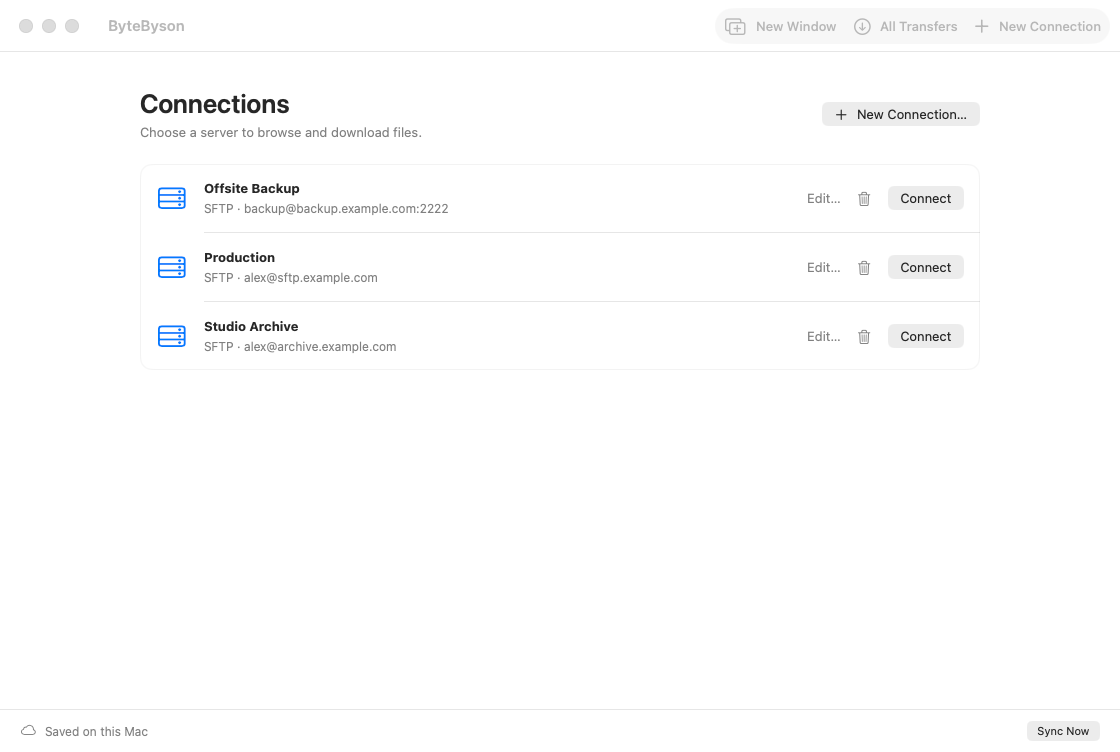
- One window per server, as many as you like. Each connection window has its own file browser and download queue, with its own limit on how many downloads run at once. Pause, resume, reorder and remove downloads without disturbing the ones already running.
- All Transfers shows every download from every window in one place, including downloads whose window you've closed.
- Asking twice doesn't duplicate. Drag or download something that's already in the queue, and ByteByson resumes the existing download instead of starting a second copy.
- Finds the newest file fast. Sort by name, size or date. A date sort puts the most recent first, and your choice is remembered.
- Reopens where you left off. Your windows come back at launch, each on the folder it was browsing.
- Native throughout, built with SwiftUI and AppKit, with light and dark appearance and keyboard navigation.
Secure by default
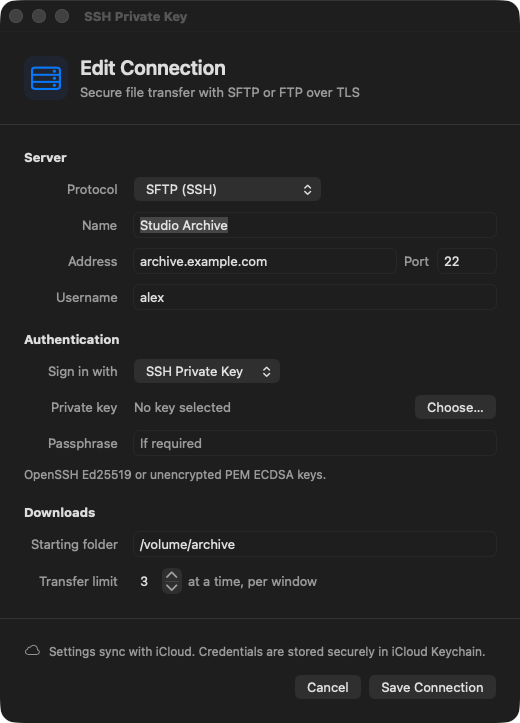
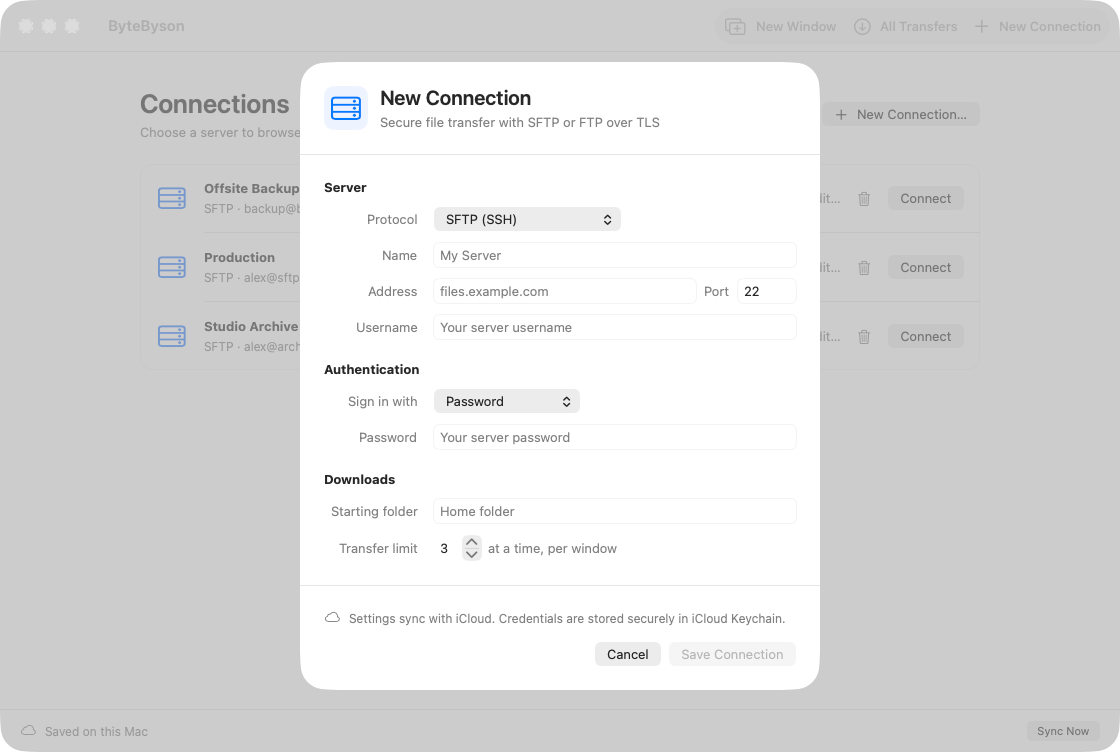
- SFTP with a password or an SSH key. ByteByson supports OpenSSH Ed25519 keys, including passphrase-protected ones, and PEM ECDSA keys. The first time you connect to a server, ByteByson shows its fingerprint for you to confirm, and it warns you if the fingerprint ever changes.
- FTP over TLS, explicit (usually port 21) or implicit (usually port 990). Both commands and file data are encrypted with TLS 1.2 or later, and ByteByson never falls back to an unencrypted connection.
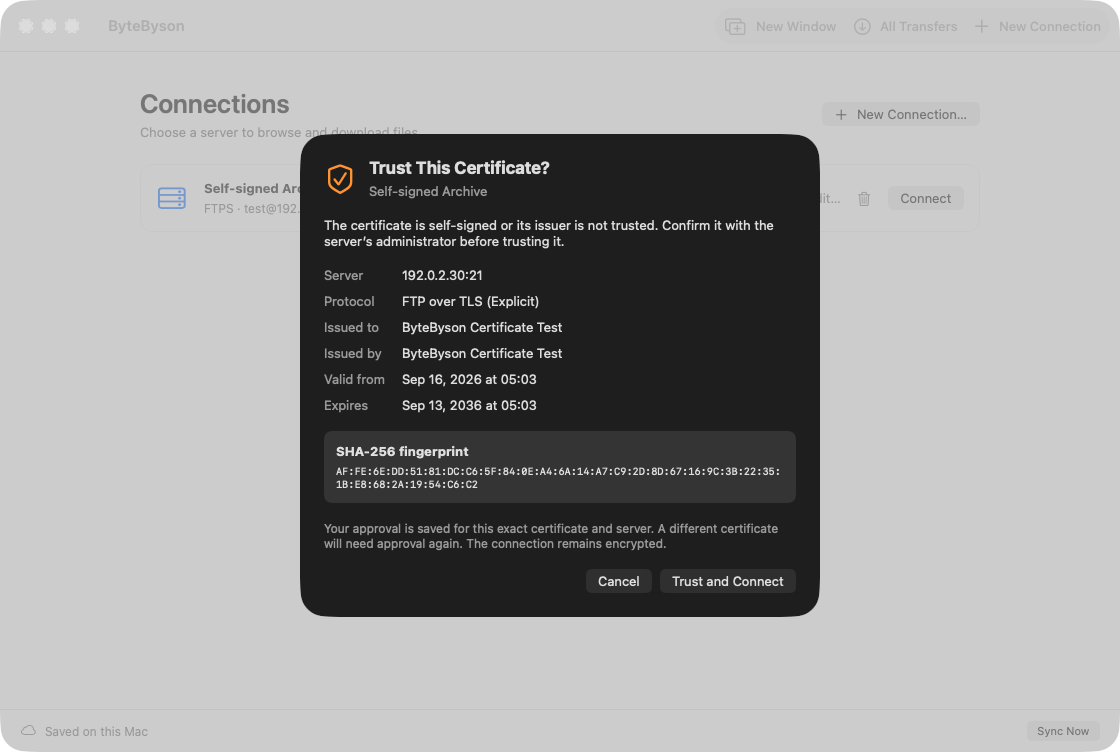
- Verified certificates. If a server uses a self-signed or otherwise invalid certificate, you can approve that exact certificate once. ByteByson remembers it for that server and asks again if the certificate is ever replaced.
- Your passwords and keys stay in your Keychain, never in ByteByson's settings, download queue or logs.
- Sandboxed. ByteByson runs in the macOS App Sandbox and can only reach the folders you choose.
Your connections on every Mac
Save a connection once and it appears on your other Macs signed in to the same Apple Account, with every setting intact, including server fingerprints you've already verified. Connection settings sync through your own private iCloud storage, and passwords and keys sync through iCloud Keychain. There's no ByteByson account to create, and changes you make offline sync when you're back online.
Help when you need it
If something goes wrong, you can turn on detailed logging in Settings and export the logs as a ZIP file to include with a support request. Logs stay on your Mac for 30 days and never include passwords, keys or the contents of your files. Nothing is uploaded automatically.
At a glance
- Requires: macOS 15.6 Sequoia or later, on Apple silicon or Intel
- Protocols: SFTP, and FTP over TLS (explicit and implicit)
- Sign-in: password, or an SSH key in OpenSSH Ed25519 or PEM ECDSA format
- Downloads: files and whole folders, resumable, with no size limit of its own
- Uploads: not supported; ByteByson is a download app (for now)