Tanks-a-Lot Release Notes v2026.11.01
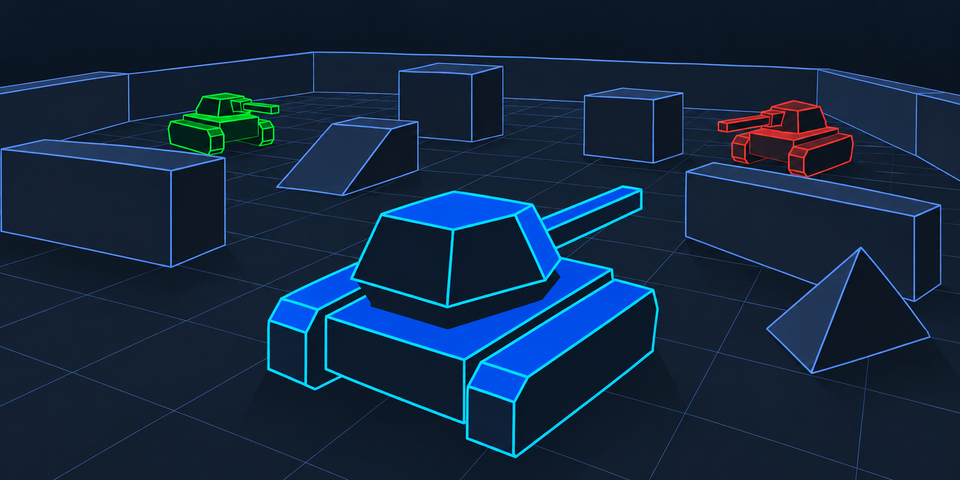
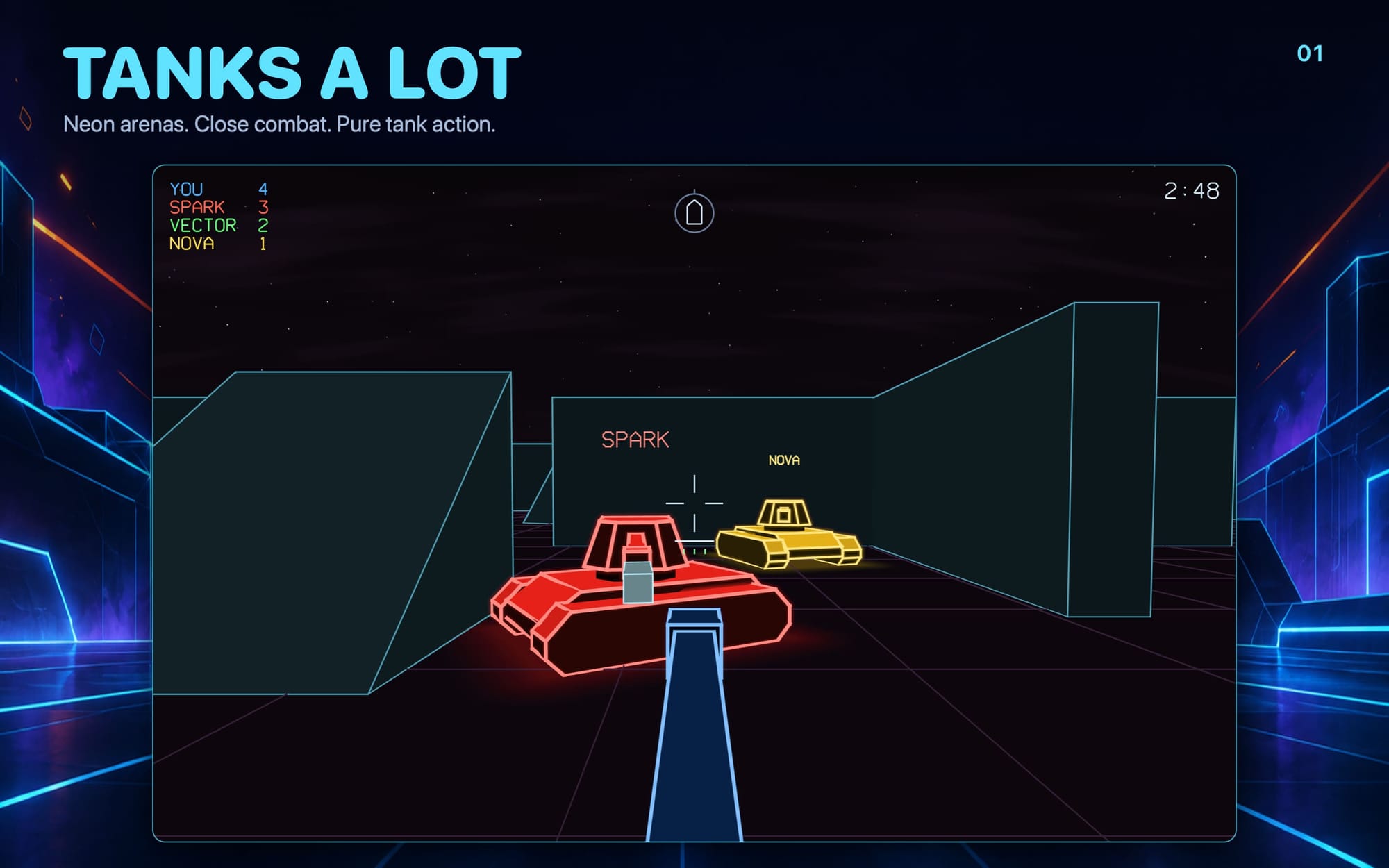
Tanks-a-Lot is here. This is the first public release of our retro arcade tank game for iPhone, iPad, Mac, Apple TV and Apple Vision Pro. You look out from the gunner's seat into a glowing neon arena. Swing the turret, line up the shot and fire, then get moving, because someone is already aiming at you.
Tanks-a-Lot is made for playing together in the same room. Everyone gets on the same Wi-Fi, one person starts a battle and everyone else taps Join. You don't need codes, accounts or an internet connection. If nobody's around, you can take on the bots.
Get Tanks-a-Lot Now
- App Store (coming soon)
- TestFlight (coming soon)
- Web Download (Apple Notarized App)
Highlights
- Up to 10 players in one battle. iPhone, iPad, Mac and Apple TV all fight in the same arena.
- Joining takes one tap. Games on your network appear on the main menu automatically. Tap Join and you're in, even if the battle has already started.
- It works without the internet. Local battles run entirely between your devices. If they aren't on the same network, they can still find each other over peer-to-peer Wi-Fi.
- Offline bots. Battle up to three computer tanks on Easy, Normal or Hard.
- Three arena sizes. Small, Medium and Large arenas are divided by walls and doorways, and every sector has cover.
- Put it on the big screen. Host from an Apple TV as an observer. The TV shows the whole arena while everyone else fights from their own device.
- Simple controls on every device. Use touch, keyboard and mouse, a game controller or the Siri Remote. Push the way you want to go and your tank goes there.
- A neon wireframe look. The custom Metal renderer draws two-tone neon tanks under a night sky with stars, a crescent moon and shooting stars.
- Try it free. Every device includes 20 minutes of play. A one-time purchase unlocks the full game.
How to Play
Winning a round
- Destroy 10 enemy tanks first. The first player to reach 10 wins the round immediately.
- Or lead when time runs out. A standard round lasts five minutes. If nobody reaches 10, the leader on the scoreboard wins. A tie is a draw.
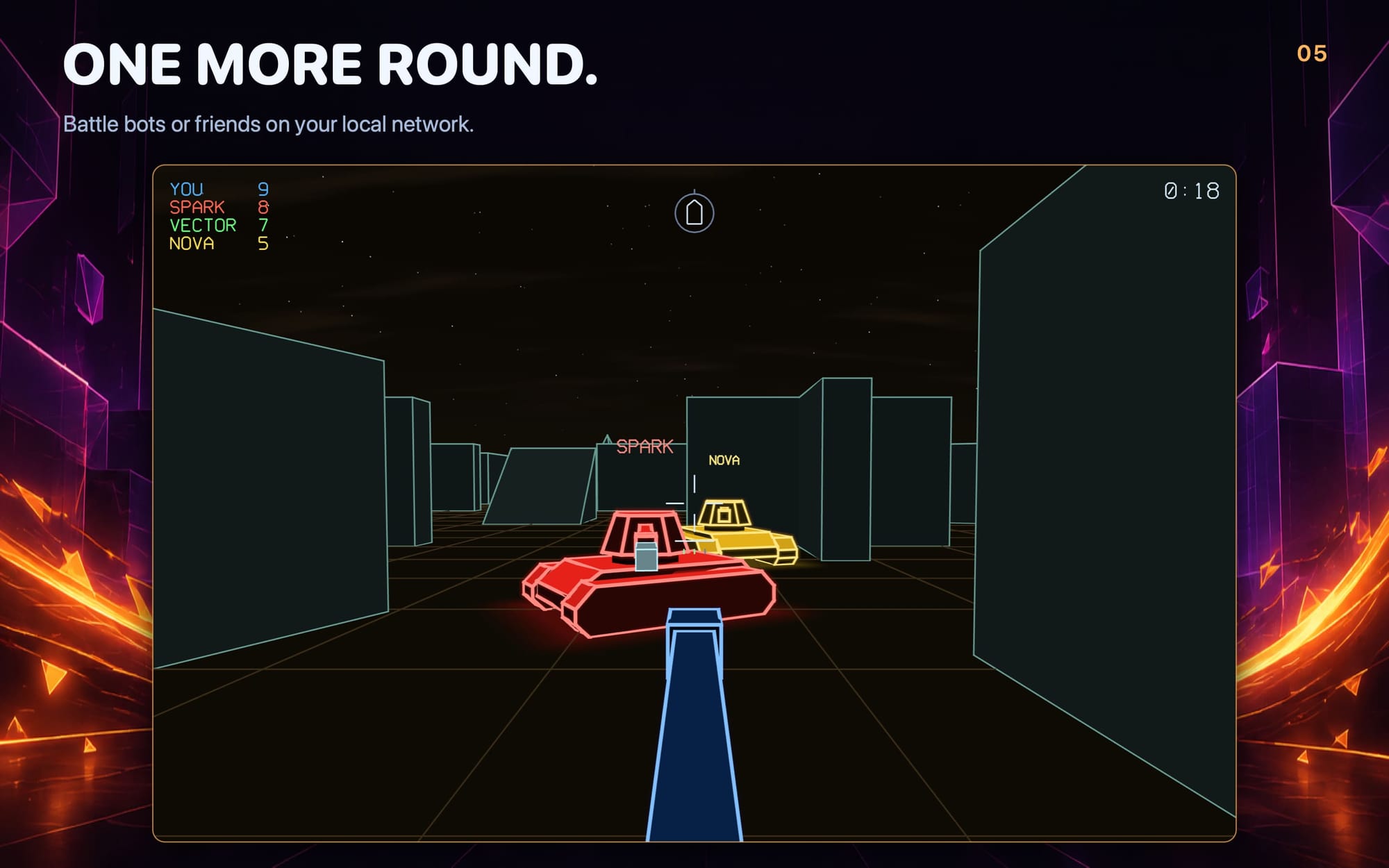
- Every tank for itself. Each battle is a free-for-all. Tanks glow blue, green, red or yellow, and every player's name floats above their tank.
- Knocked out? You're back in three seconds. Destroyed tanks respawn in a corner of the arena with a short shield, so nobody can pick you off the moment you return.
- Play again. The results screen shows who won, everyone's kills and deaths, and players who left during the round. Play Again starts the next round in the same arena.
Your tank
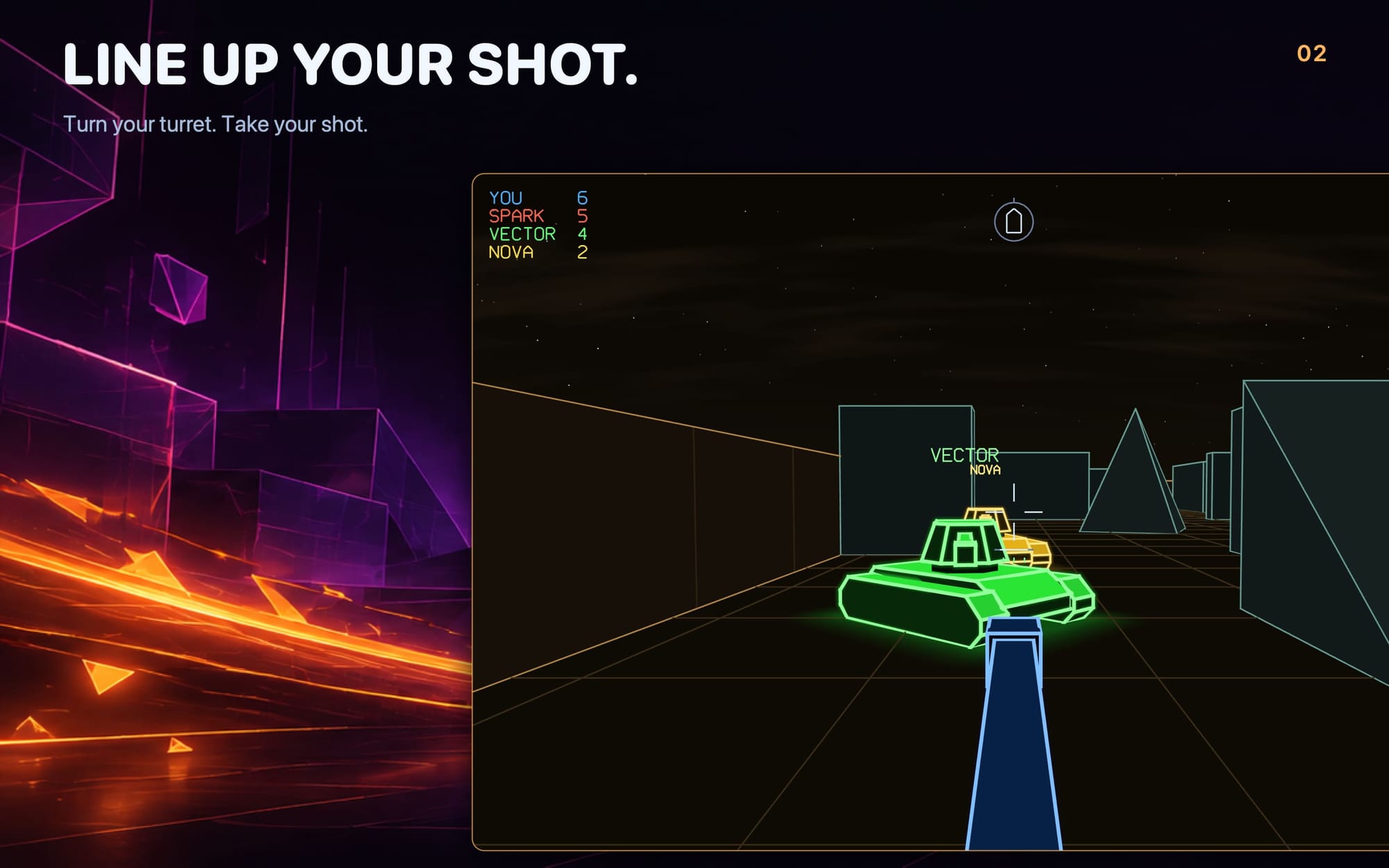
- The view is from the gunner's seat. The turret turns independently of the hull, so you can drive one way and aim another.
- Three hits destroy a tank. Health pips under the reticle show how many hits you can still take.
- Shells fly straight and fast. They take a moment to cross the arena, so lead a moving target and aim where it will be, not where it is.
- About half a second to reload. A reload bar under the reticle fills as your gun gets ready to fire again.
- A hit marker confirms a hit. It flashes on the reticle when your shell connects.
- A hull indicator shows your heading. A small tank outline on the HUD shows which way your hull points relative to your aim.
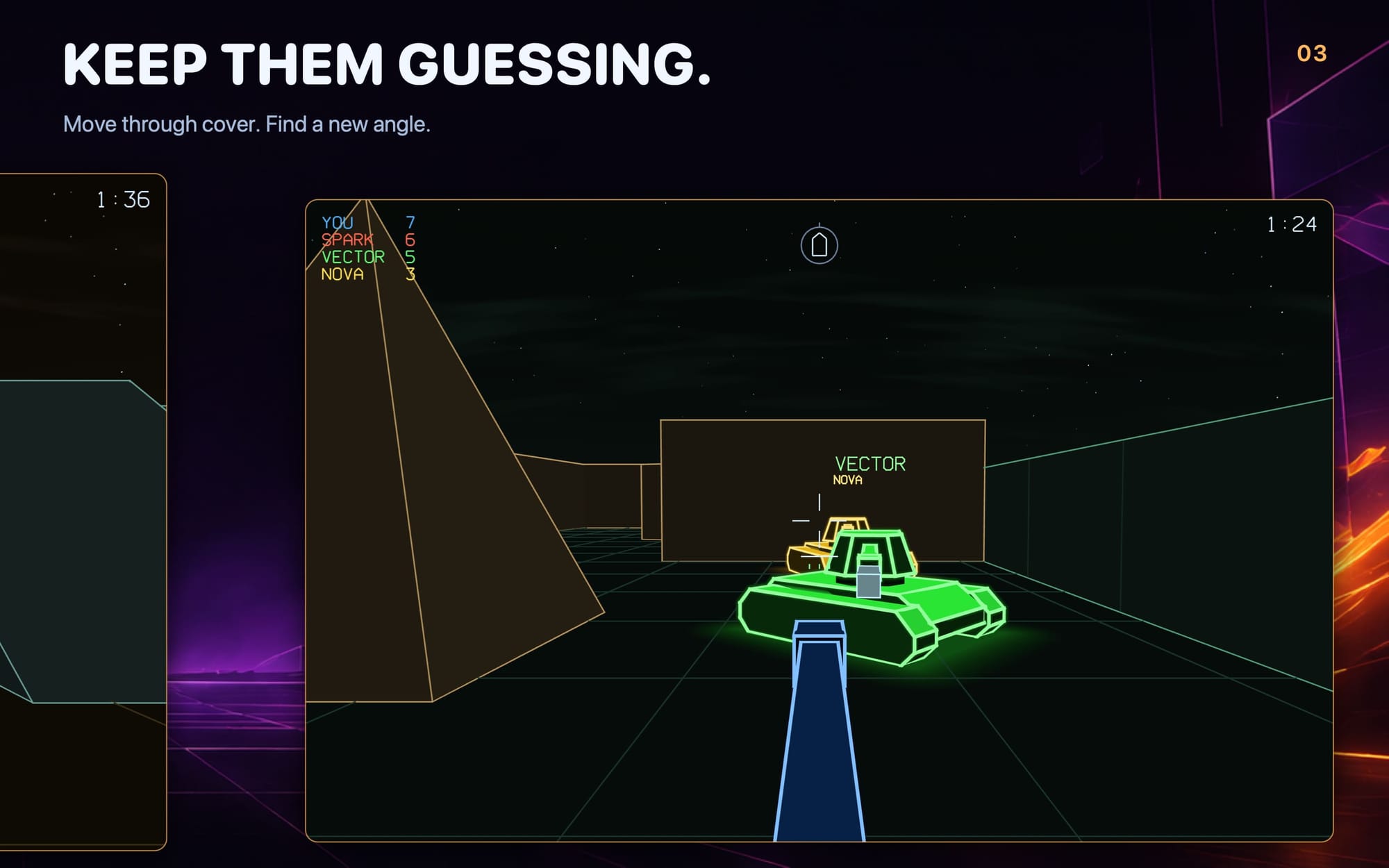
- Hide behind cover. Walls and obstacles are tall enough to hide a tank at any range, and they stop shells. Player names float above every tank but disappear when the tank is behind cover.
Arenas
- Small, Medium or Large. Small is a 3 × 3 grid of sectors, Medium is 4 × 4 and Large is 5 × 5.
- Walls with staggered doorways. Sectors are separated by walls, and the doorways are offset from one another, so there is never a single long sightline. There is always another way around.
- A landmark in every sector. Each sector has a block, ramp or pyramid to hide behind, duck around or ambush from.
- The arena carries over. New rounds keep the same arena, and players who join get the host's arena automatically.
Bots
- Up to three bots, or none. Choose 0 to 3 computer tanks before you start. With zero bots, the arena is yours until someone joins.
- Three difficulty levels. Easy bots are slow and miss often. Normal bots put up a fair fight. Hard bots turn quickly, aim tightly and fire almost as fast as you can.
- Bots play fair. They drive through the doorways, chase you down and shoot back, and they control their tanks the same way a human player does.
- Bots make room. When a hosted battle fills up, joining players take the bots' places.
Local Multiplayer
Hosting
- Every game is open to friends. Share on local network is on by default, so anyone nearby can see your battle and ask to join. Turn it off for a private game.
- You choose who gets in. Approve each join request as it arrives, or turn on Auto-accept requests to let everyone in.
- Up to 10 players, including you. Each device that joins plays as its own tank.
- Host controls. From the in-game menu, the host can start a New Round or End Game for everyone.
Joining
- Games appear by themselves. The Games on Your Network list on the main menu shows each nearby battle with the host's name and how many players are in it.
- Join with one tap. You can join a battle in progress. Full games and games from a different version of Tanks-a-Lot are marked, so you know why you can't join.
- Your name is shown above your tank. Tanks-a-Lot uses your device name, or picks a fun tank name if your device has a generic name like "iPhone". You can change it on the main menu.
- Local Network help. If Local Network access is turned off, the menu tells you and has a button that opens the right Settings page.
No network? No problem.
- Peer-to-peer Wi-Fi. Two iPads in the back of a car can still play together. When devices don't share a network, Tanks-a-Lot connects them over the same peer-to-peer Wi-Fi that AirDrop uses. Wi-Fi needs to be turned on, but it doesn't need to be connected to a network.
- The best path is chosen automatically. Devices on the same network always use that network. Peer-to-peer is used only when nothing else works.
Observer mode
- Watch without a tank. Tap Observe beside any game on your network. You can watch a battle already in progress, even if it's full. Observers don't use player slots.
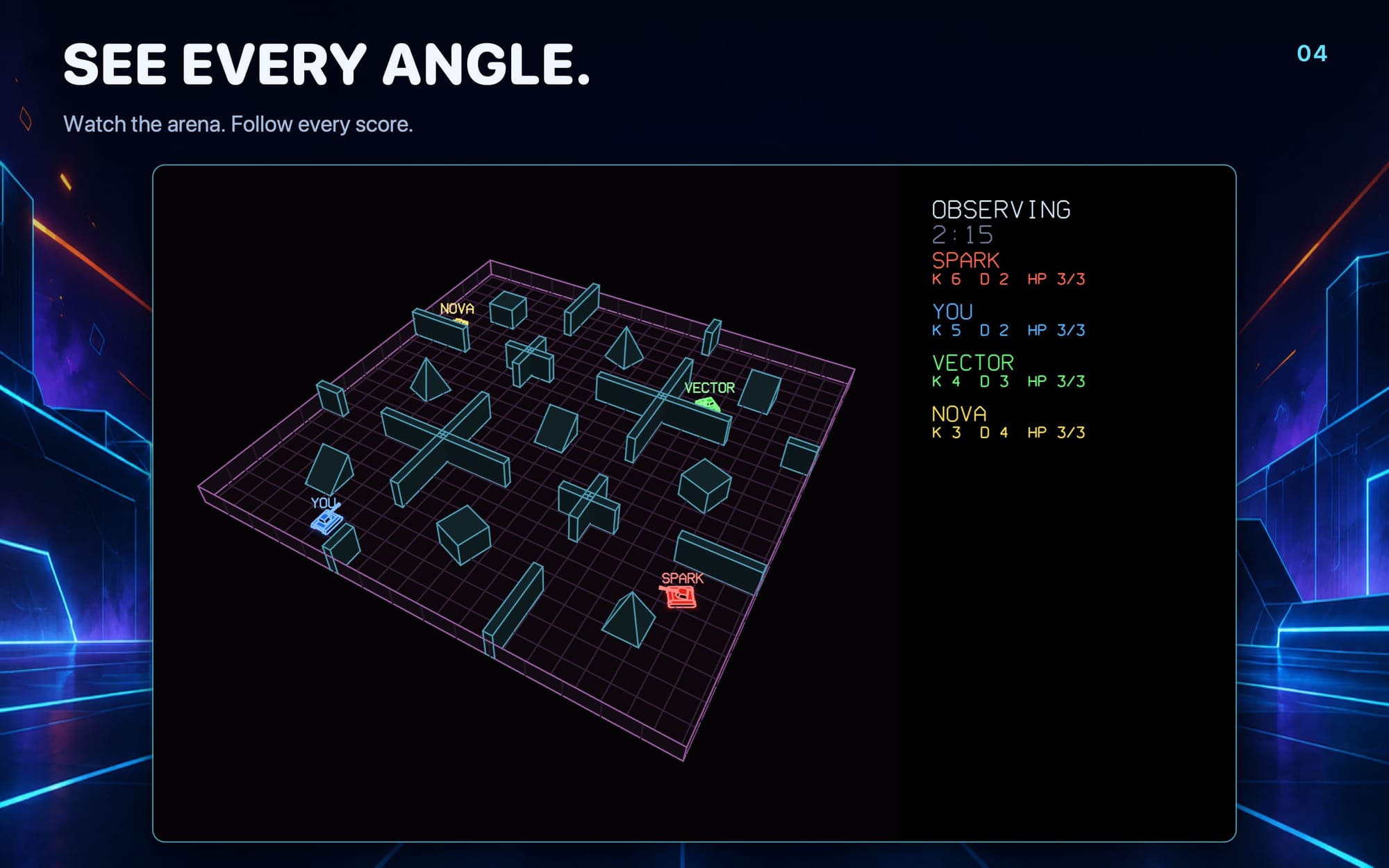
- Host as an observer. Host as Observer starts a battle with the selected arena and bots, without a tank of your own. This is perfect for an Apple TV in the living room.
- See the whole arena. The observer camera looks down on the arena from a raised corner, with a statistics panel showing each player's kills, deaths, health and respawn countdown.
- The clock waits for players. A host observing an empty arena doesn't start the round timer until players arrive.
Controls
Tanks-a-Lot is designed so you never have to stop and wonder what to press. A short hint at the bottom of the screen explains the controls for whatever you're holding, then disappears once you've driven and fired. The way out is always on screen: a Menu button on touch screens, and a reminder of the pause button everywhere else.
| Device | Drive | Aim | Fire | Pause |
|---|---|---|---|---|
| iPhone and iPad | Drag on the left | Drag on the right | Tap anywhere | Menu button |
| Mac | W A S D or arrow keys | Mouse (or Q and E) | Click or Space | Esc |
| Game controller | Left stick | Right stick | A or right trigger | Menu button |
| Siri Remote | Slide up or down | Slide left or right | Click | Back |
- Simple driving. Push the stick, or the W A S D keys, the way you want to go, and your tank turns and drives that way, relative to where you're looking.
- Classic tank driving. If you prefer separate throttle and steering, choose Tank for Driving in Settings.
- Touch controls built for thumbs. The drive stick reaches full speed at the edge of its ring. A short tap fires, and extra fingers can fire while you drive and aim. Drags and long presses never fire by accident.
- Mac pointer capture. Click to take control and the mouse becomes your turret. Press Esc to pause and get your pointer back.
- Driving with the Siri Remote. Left and right turn the whole tank, so your aim turns with it, like steering a car. Up and down drive forward and back.
- Adjustable sensitivity. Set mouse, touch aim and controller sensitivity to Low, Normal, High or Max.
- Controllers come and go. Connect or disconnect a game controller at any time, even in the middle of a round.
Look & Sound
- Neon wireframe arenas. Glowing edges, a grid floor, bright two-tone tanks and impact sparks.
- A living sky. Stars, drifting clouds and a crescent moon, with an occasional shooting star.
- A fresh palette every round. The arena's colours change each round, but every tank keeps its colour.
- Satisfying destruction. A destroyed tank breaks apart and the pieces scatter across the arena.
- Sound effects. Firing, impacts, hits, destruction, respawns and the end of a round each have their own sound, made procedurally by the game, and distant action sounds quieter. A Mute switch is in Settings.
- Smooth play. The game runs a 60 Hz simulation and is drawn by a lightweight custom Metal renderer.
On Every Apple Device
- iPhone. Full touch controls. The main menu is arranged as side-by-side pages so it fits a phone held sideways.
- iPad. Full-screen play with room to spread out both thumbs.
- Mac. Keyboard and mouse with pointer capture, plus game controller support.
- Apple TV. Play with the Siri Remote or a game controller, or host as an observer and put the whole arena on the TV.
- Apple Vision Pro. Play Tanks-a-Lot in a window in your space.
- All together. Every platform can host and join the same battles.
Demo & Full Game
- 20 minutes free on every device. Solo play, hosting and joining all use the same allowance. The menu shows how much time is left. Menus, connecting, results and a paused solo game don't use any time.
- Finish what you started. If your time runs out mid-battle, you can still finish the round.
- Unlock everything with one purchase. It's a one-time purchase, not a subscription. Open Account & Support, sign in with Apple and unlock the full game. Checkout is handled securely by Stripe.
- Unlock your other devices too. Sign in with the same Apple Account on your other devices and choose Restore Purchase.
- Your unlock works offline. Your purchase is remembered on the device, so it keeps working at game night without internet.
- Accounts are optional. You never need an account to start the game or play local multiplayer.
Privacy
- The game runs on your devices. Our servers don't run the game and don't relay local multiplayer traffic. Local battles stay on your network.
Support
- Send to Support. From Account & Support, describe the problem, add a reply email if you'd like an answer, and send your logs along with it. This works whether or not you're signed in.
- Export logs yourself. You can also save a ZIP of your logs and device report to your device without sending it anywhere.
- Performance overlay. Turn on Show performance in Settings to see frame timing on screen.
Tanks-a-Lot requires iOS 26, iPadOS 26, macOS 26, tvOS 26 or visionOS 26 or later. Learn more at tanks-a-lot.app.
Thank you for playing. Gather your crew and enter the arena. If you have a question or something isn't working, tap Send to Support in Account & Support and we'll take a look.