
SpyAlert Release Notes v2026.11.21
SpyAlert scans the local network for camera evidence.
Overview
SpyAlert comes to the Mac with a native interface, adds recognition for more proprietary camera systems, and makes it easier to send diagnostic information to support.
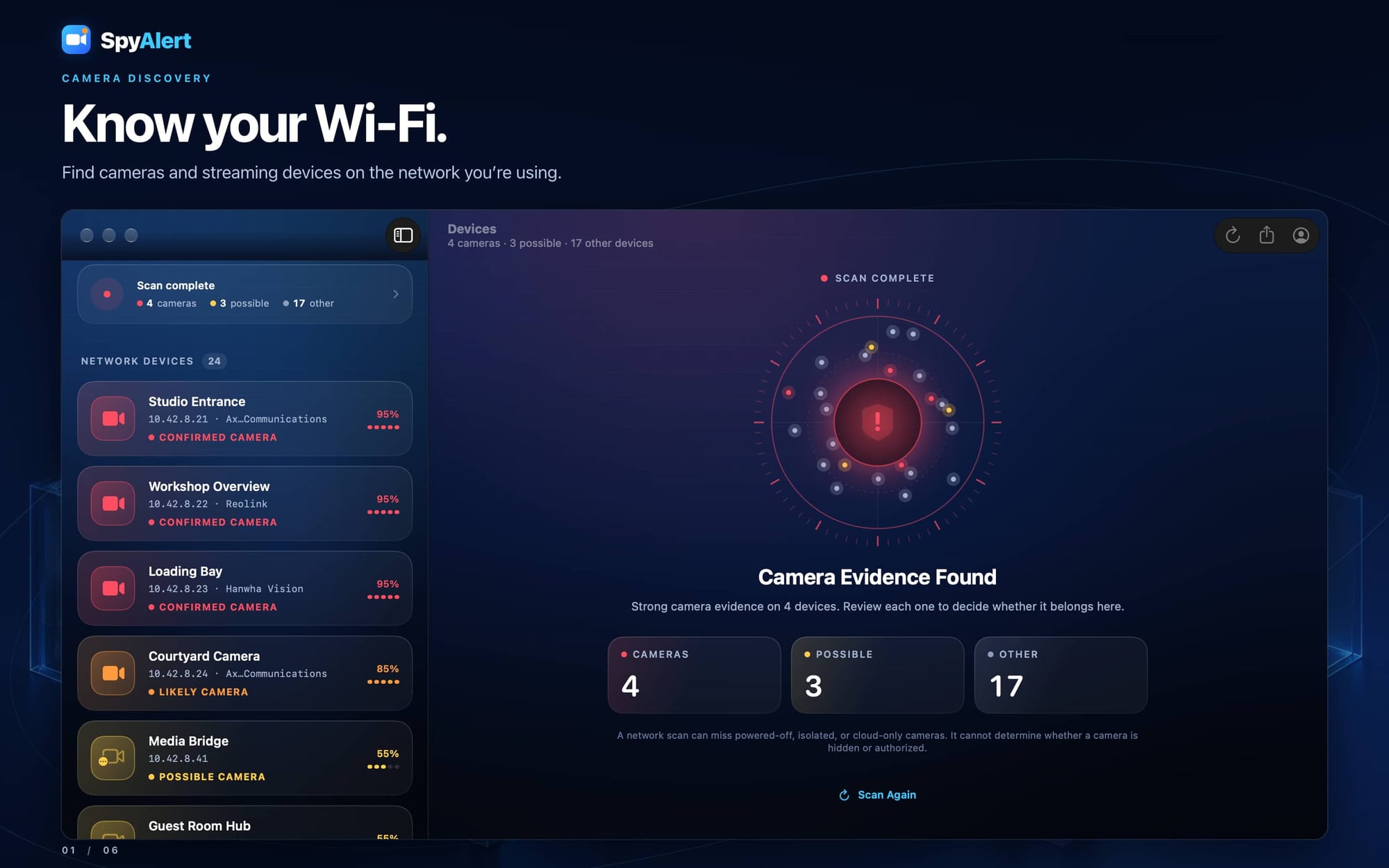
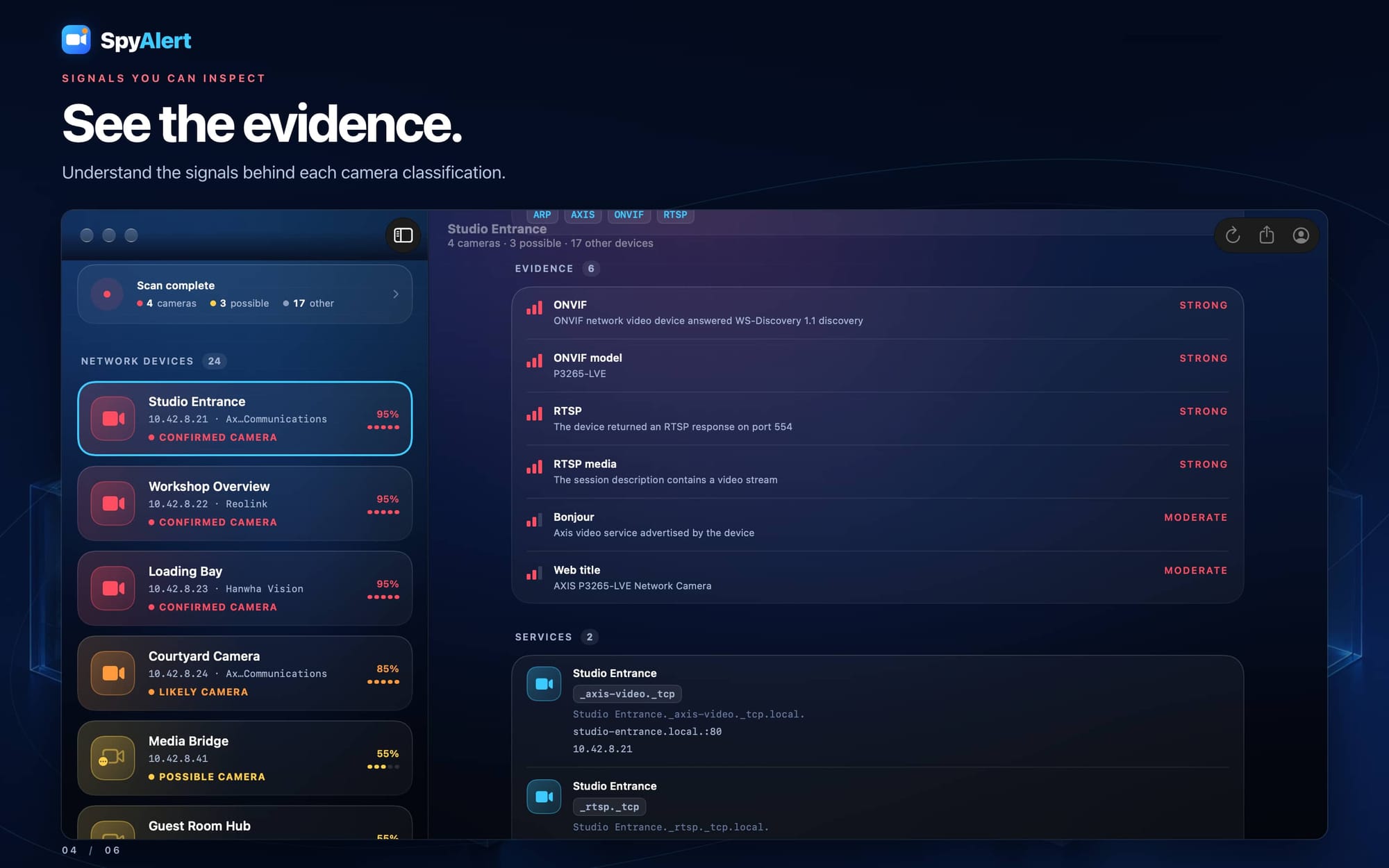
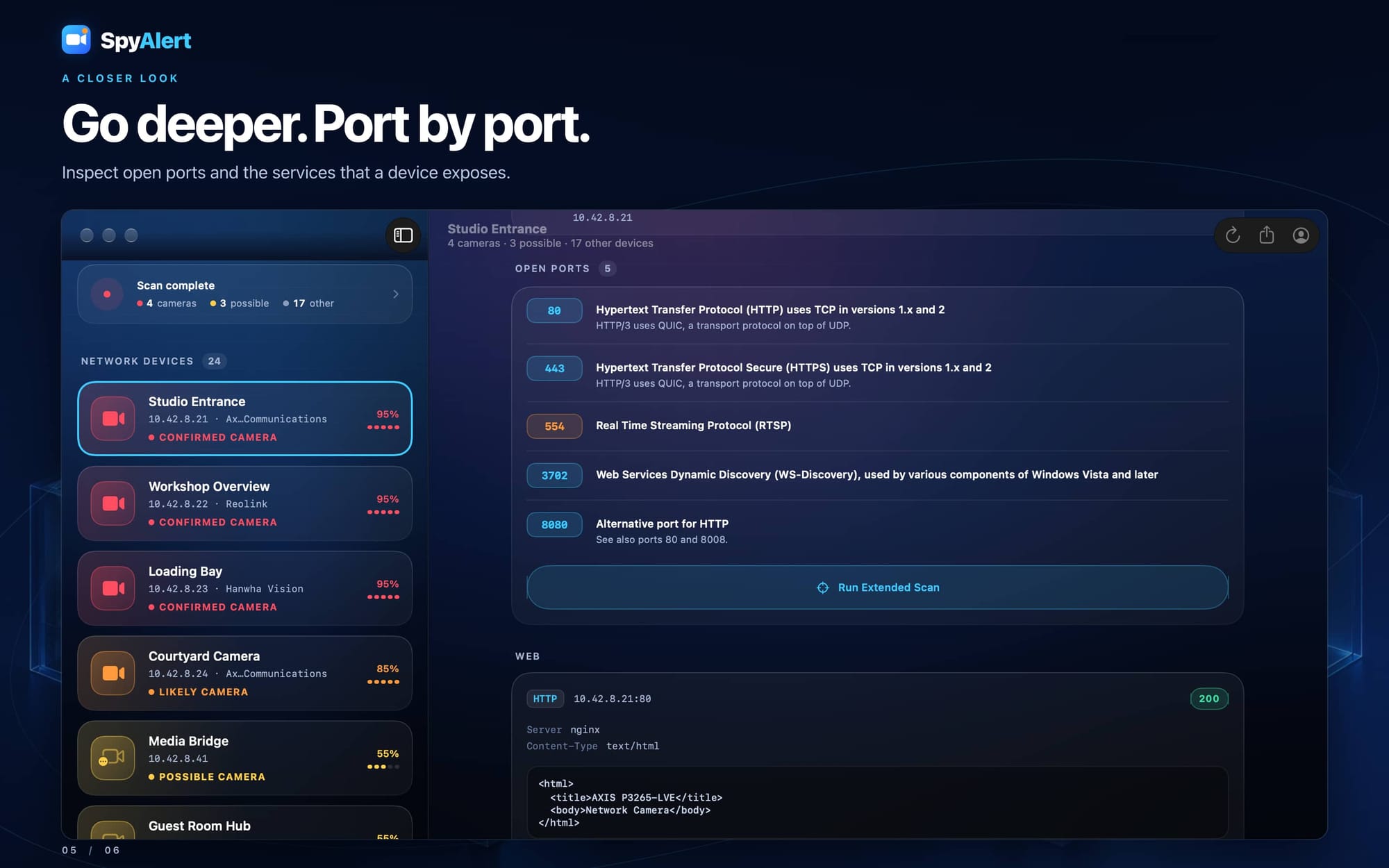
- A native Mac app: scan your network with a device sidebar, details beside the list, keyboard shortcuts, and a separate Account window. Choose the Mac App Store or a direct download with built-in update checks.
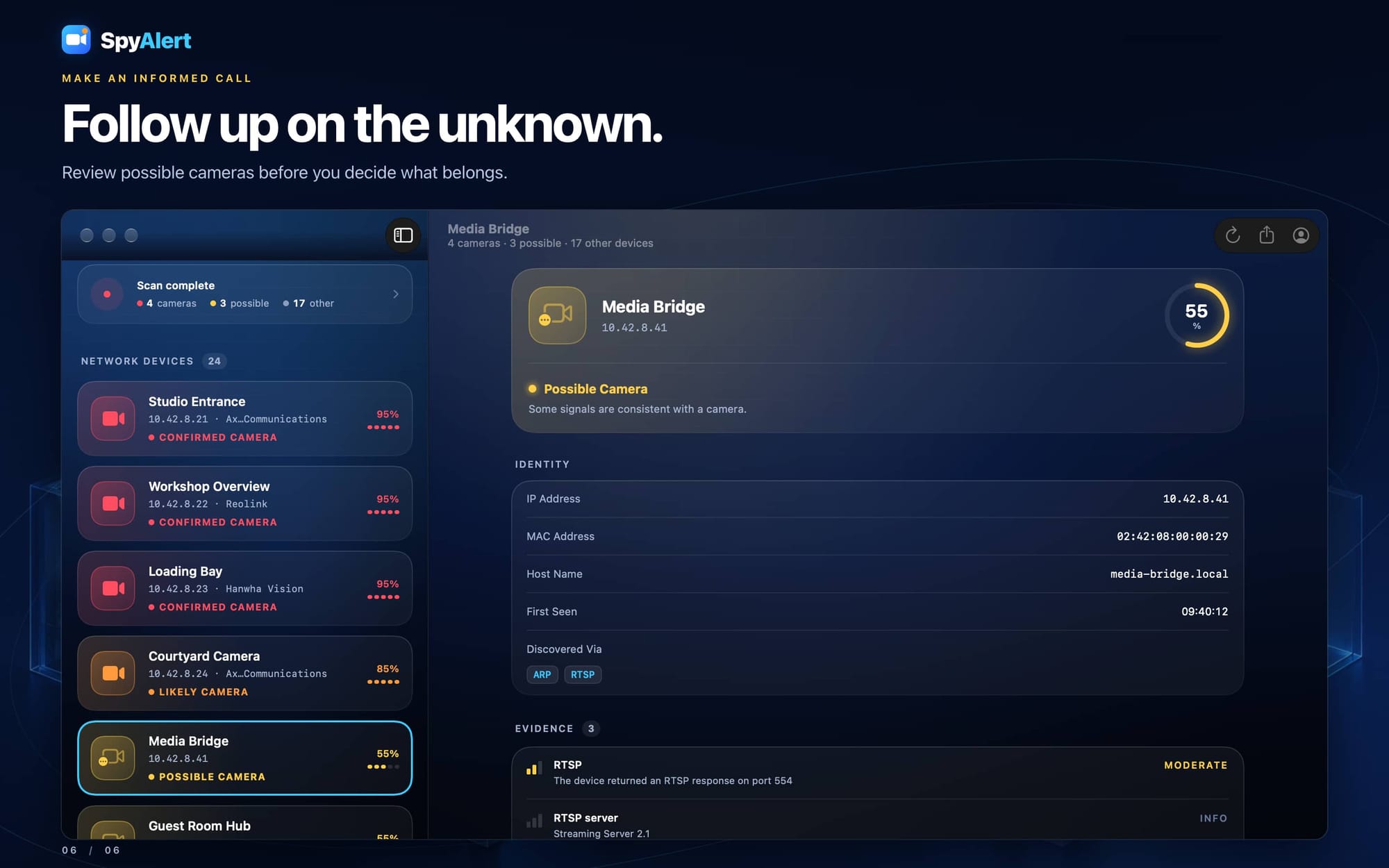
- More useful device identities: new rules recognize camera brands, doorbells, hubs, and recorders while keeping uncertain matches marked Possible Camera. HomeKit advertisements and Nest model information help distinguish cameras from other smart-home devices.
Get SpyAlert Now
Download SpyAlert here.
SpyAlert for Mac
- Added a native macOS app for the Mac App Store and direct download from acgao.com. Both use the same scanning engine and device evidence as the iPhone and iPad app.
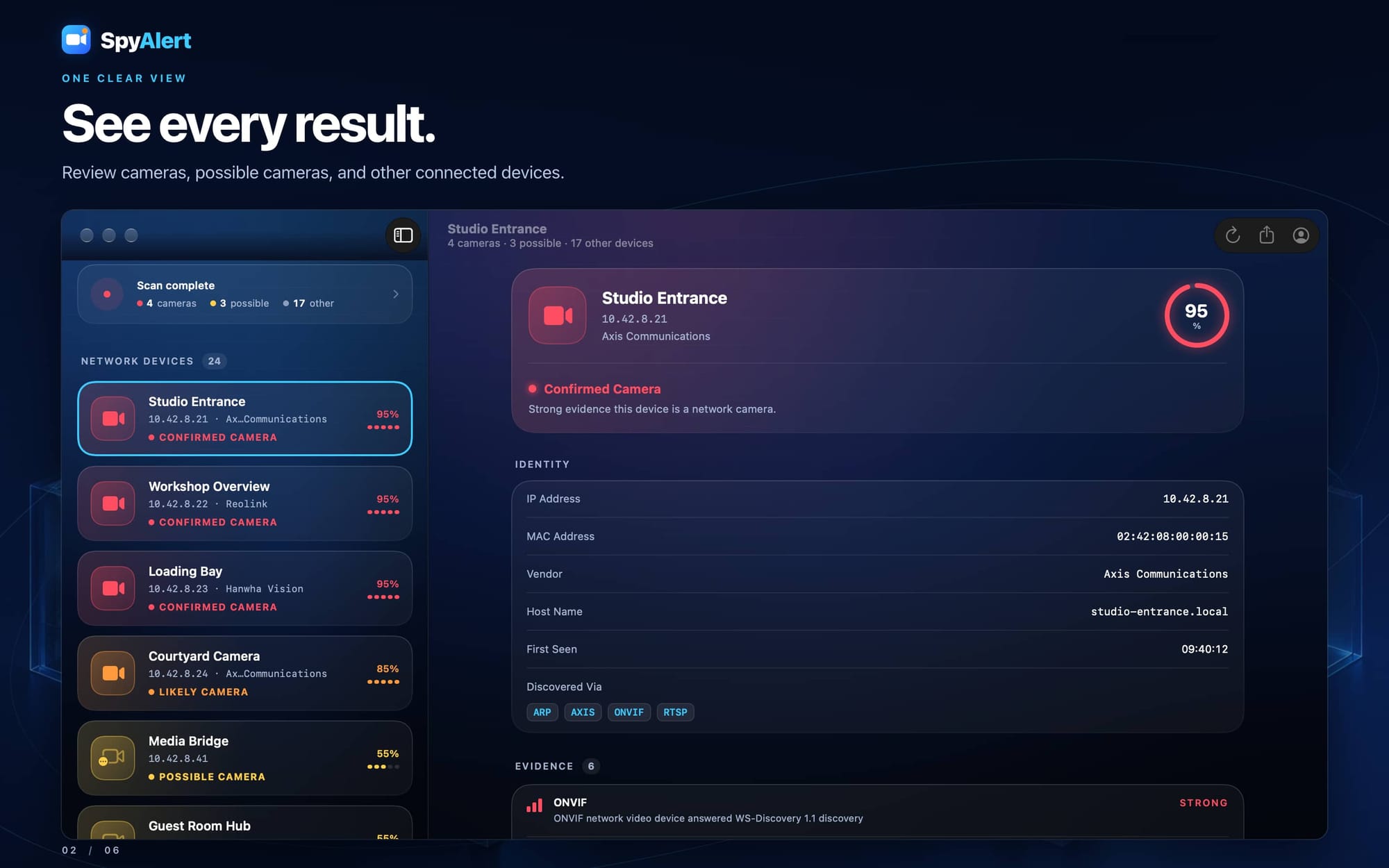
- Added a two-column scanner: devices appear in a sidebar, with the selected device's details or the scan summary beside it. The toolbar provides Scan Again, Share SpyAlert, Our Apps, and Account.
- Added keyboard navigation. Up and Down select devices, Escape returns to the summary, Command-R starts or repeats a scan, and Command-Shift-S shows the summary.
- Closing the scanner window stops its scan and keeps the app running. Reopening it starts another scan. The Dock and Window > SpyAlert, also available with Command-0, bring the window back. Fixed launches that could leave SpyAlert running with no visible window.
- Added Mac-specific Local Network permission instructions and a shortcut to System Settings > Privacy & Security > Local Network.
- The direct download adds Check for Updates and Check for Updates Automatically through Sparkle. An Update Required screen uses the updater and offers a direct-download fallback; Store builds open their App Store listing.
Camera and Device Identification
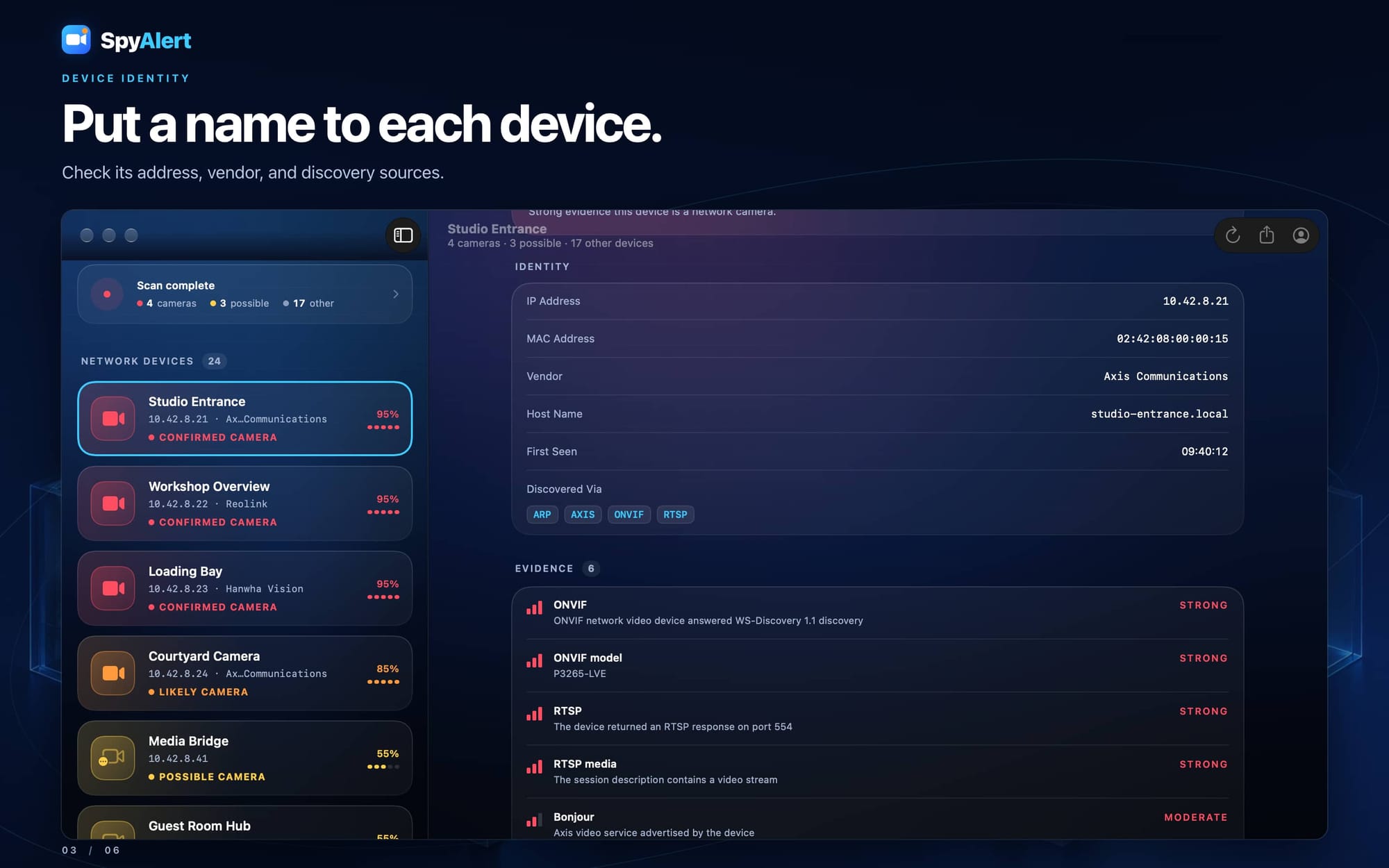
- Added identity rules that combine hardware manufacturer, hostnames, Bonjour service names and details, and observed ports. Recognized devices can receive a useful name even when discovery initially supplies only an IP address.
- Added recognition for Ring, Blink, Wyze, Nest, Arlo, and Reolink devices. Evidence explains when a result may represent a chime, hub, recorder, or another product from the same company. Shared manufacturer identities remain Possible Camera unless stronger clues support a camera or camera system.
- Added Likely Camera identification for SkyBell video doorbells, legacy Dropcam cameras, and Nanit baby cameras. Reolink devices are identified as a camera or recorder; matching Arlo manufacturer and service or RTSP-port clues can identify a likely camera system.
- Reads HomeKit accessory categories from local Bonjour advertisements. Cameras and video doorbells are marked likely cameras, while recognized categories such as thermostats and lights are identified as other devices.
- Distinguishes the Nest Hub Max, which has a camera, from Nest Hub displays, Nest Mini speakers, and Nest Wifi points that do not. A general Nest manufacturer match alone remains uncertain.
- Added cautious manufacturer-based labels for SimpliSafe, Alarm.com, Vivint, Abode, ecobee, EZVIZ, Imou, Dahua, Hikvision, Verkada, Rhombus, and Avigilon Alta hardware. These labels describe the visible device without assuming every product from those companies is a camera. Recognized Qolsys, 2GIG, Nortek Security & Control, and Linear alarm panels are classified as other devices.
- Expanded the bundled manufacturer registry with more specific address prefixes for Wyze, Abode, Nortek Security & Control, and Rhombus Europe. These devices can now show their manufacturer instead of the broader IEEE Registration Authority entry.
- Added explanations for camera systems whose visible network device is a hub, bridge, or recorder. Cameras behind that device may have no separate address on the network being scanned.
- Identity clues supplement existing camera evidence and preserve stronger protocol-based classifications. Broad chipset and networking manufacturer names alone do not trigger the new camera identity rules.
- Fixed an Attached Cameras placeholder that could remain stuck on Scanning.
Support and Diagnostics
- Replaced Account's email-only Contact Support action with an in-app Support screen using CosmicKit's shared diagnostic support controls.
- Added Save Diagnostic Logs and Send Logs. A submission includes a problem description, a selected log timeframe, and an optional reply email. Successful submissions show a support reference.
- Saved diagnostic logs leave the device when you choose Send. The shared support system handles log retention, credential redaction, archive creation, and cleanup.
- Replaced debug-only logging with categorized diagnostic logging across scanning, discovery, permissions, accounts, checkout, and updates. Logging avoids dumping keychain values, raw Bonjour TXT contents, and credentials embedded in service URLs.
Requirements: iOS 18 or later, iPadOS 18 or later, or macOS 15 or later.