Introducing SpyAlert
SpyAlert is a hidden camera detector for iPhone and iPad. It scans the Wi-Fi network you're on for IP cameras, spy cameras and video-streaming devices, then explains in plain language what it found and why.
Just checked into an Airbnb, a hotel room or a vacation rental? Moving into a new apartment? SpyAlert helps you answer one simple question: is there a camera on this network?
Download SpyAlert on the App Store
Find hidden Wi-Fi cameras in seconds
Most modern hidden cameras connect to Wi-Fi so their owners can watch remotely. That includes tiny "nanny cams" disguised as smoke detectors, alarm clocks, USB chargers and picture frames. That connection leaves fingerprints on the network, and SpyAlert looks for them.
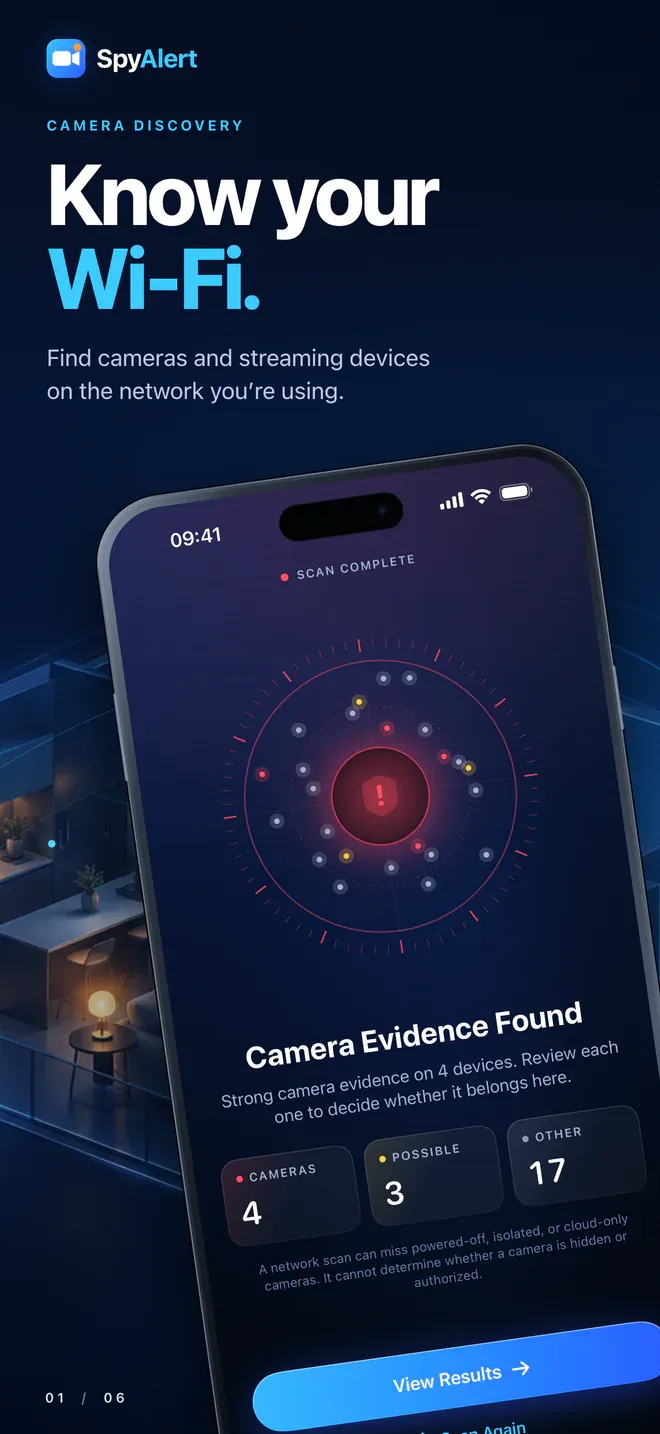
Tap Start Scan and SpyAlert probes the local network directly from your device. Results appear live as devices respond. Within moments you get a clear verdict:
- Camera Evidence Found: one or more devices show strong signs of being a camera.
- Possible Camera Evidence: something looks camera-like and deserves a closer look.
- No Camera Evidence Found: nothing camera-like is visible on the network.
- Scan Incomplete: the network is hiding devices from each other, which is common on guest and hotel Wi-Fi. SpyAlert tells you so instead of giving you a false all-clear.
Six detection methods in one scan
Many camera-finder apps only check whether a device's name contains the word "camera." SpyAlert checks every device on the network using the same discovery protocols that professional network tools use:
- ONVIF discovery: finds IP security cameras that speak the industry-standard ONVIF protocol and reads their manufacturer and model.
- RTSP stream verification: finds Real Time Streaming Protocol servers and asks each one to describe its stream. If the stream contains video, SpyAlert marks it as a confirmed camera.
- mDNS / Bonjour: spots devices that advertise video and camera services, such as RTSP, ONVIF, Axis video, HomeKit and Google Cast.
- SSDP / UPnP: catches devices that identify themselves as network cameras or video transmitters.
- ARP and MAC vendor lookup: lists every device on the network and matches its hardware address against the IEEE manufacturer registry.
- Web fingerprinting (HTTP and HTTPS): checks each device's built-in web page for camera signatures from brands like Hikvision, Dahua, Reolink, Wyze, Foscam, EZVIZ, Axis, Hanwha, Vivotek, Avigilon and Ubiquiti UniFi Protect.
SpyAlert also checks the network ports most often used by IP cameras, DVRs and NVRs. It adapts its scanning speed to Low Power Mode, device temperature and your connection.
Evidence, not guesswork
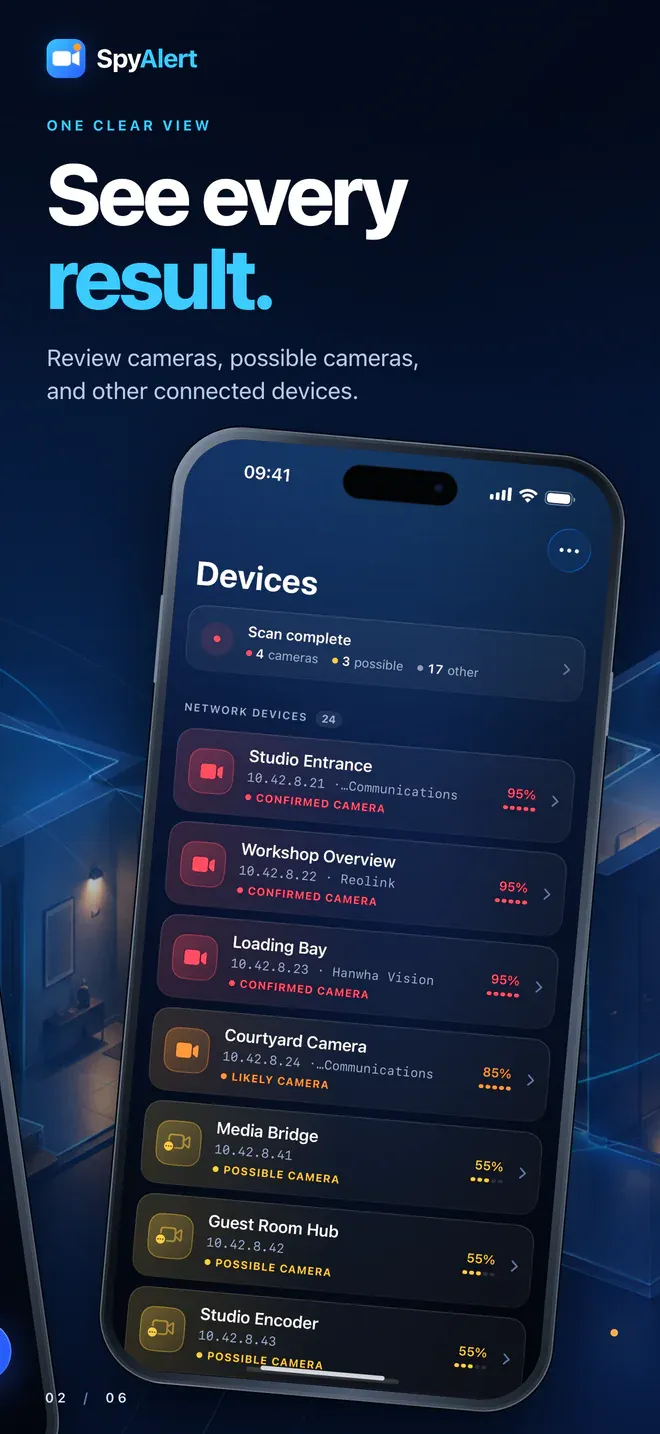
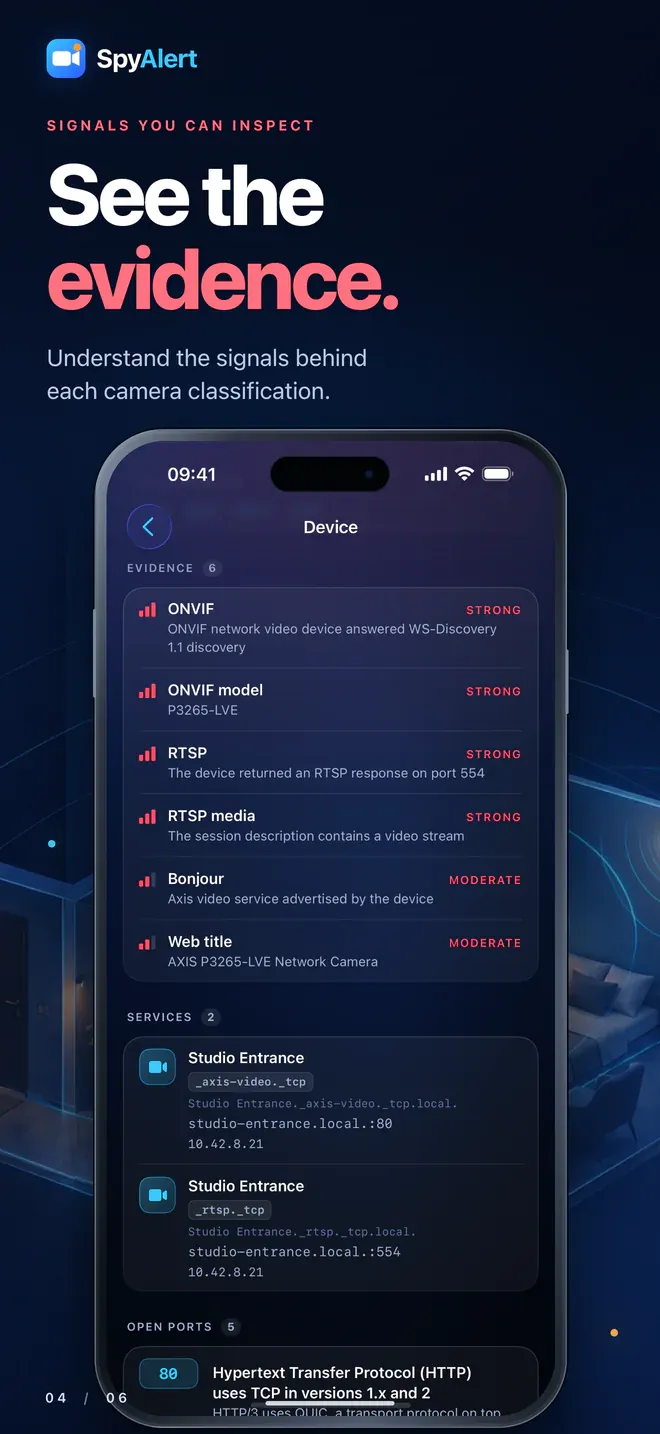
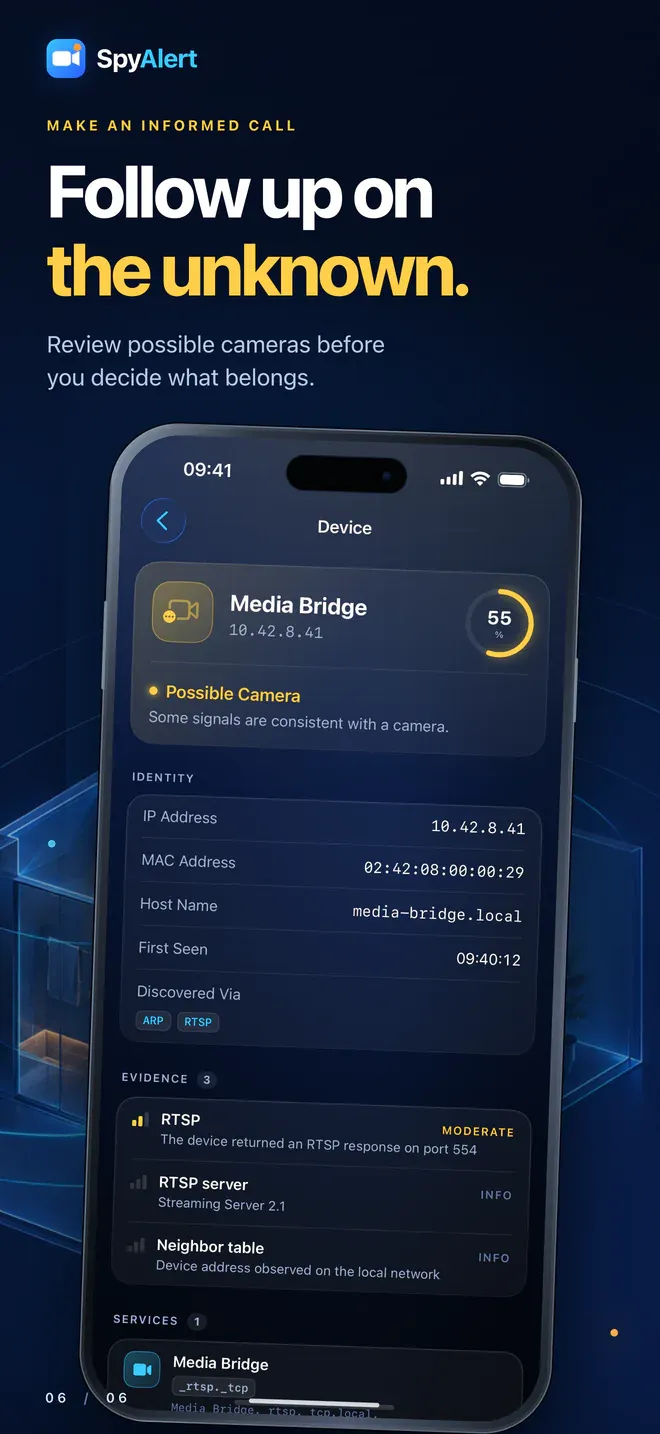
SpyAlert sorts every device into one of five groups: Confirmed Camera, Likely Camera, Possible Camera, Unknown Device or Other Device. Each device also gets a confidence score. Tap any device to see exactly why it was flagged:
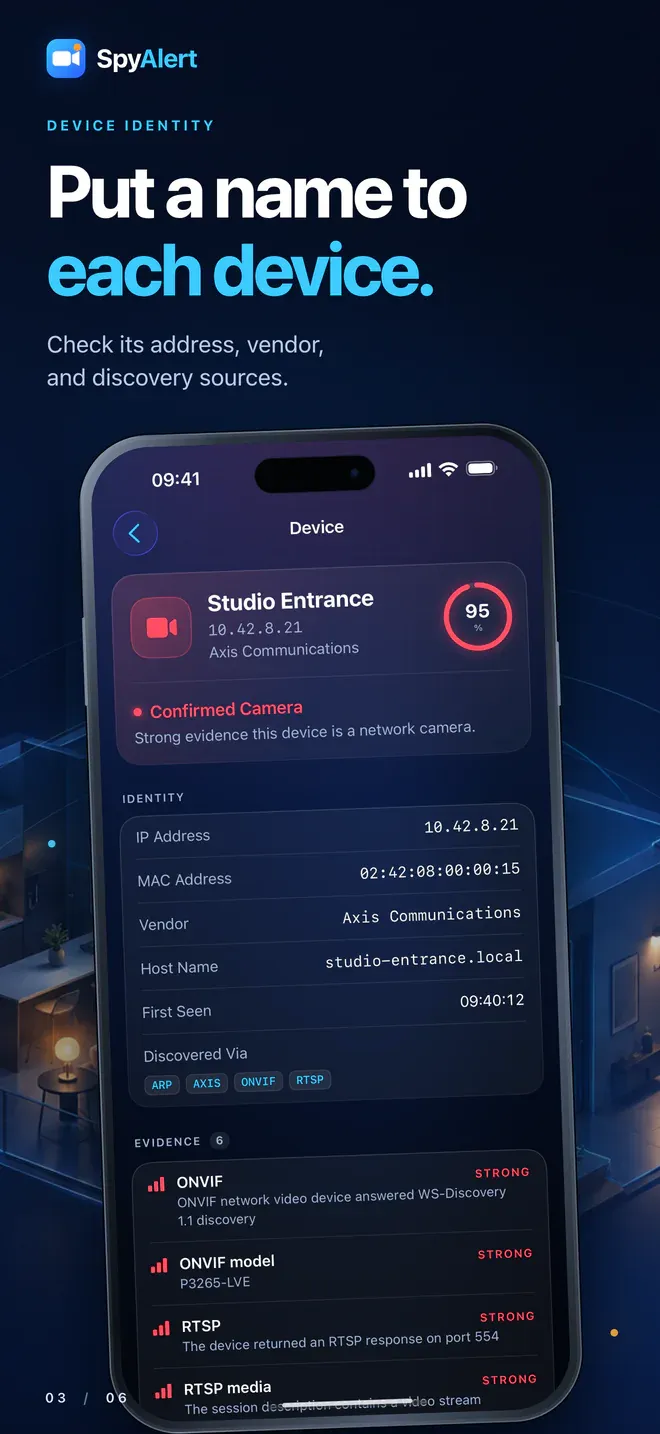
- Identity: name, manufacturer, IP address, MAC address, host name, and how it was discovered.
- Evidence: each clue SpyAlert found, rated from strong to informational. For example: "The session description contains a video stream."
- Services: what the device advertises on the network.
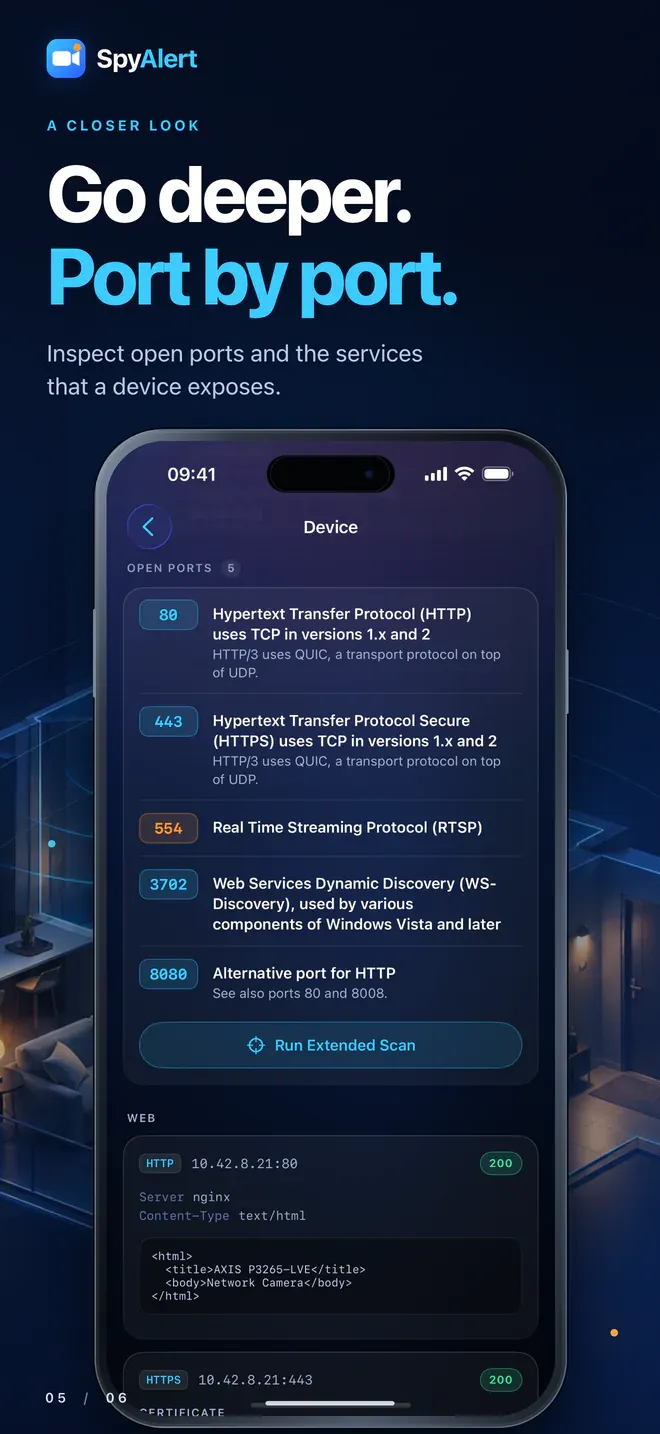
- Open ports: each open port, with a plain-English description of what it's normally used for.
- Web: the device's own web page response and TLS certificate details.
Who SpyAlert is for
- Airbnb and vacation rental guests: scan the network as soon as you arrive.
- Hotel, hostel and B&B travelers: check the room's Wi-Fi before you settle in.
- Renters and students: check a new apartment, dorm or sublet.
- Hosts and property managers: audit your own property and confirm that only the devices you've disclosed are online.
- Anyone who values privacy: check offices, shared houses and any network you join.
What to do if SpyAlert finds a camera
A network scan can't tell whether a camera is hidden or authorized. A video doorbell or a disclosed outdoor security camera may be perfectly legitimate. What SpyAlert gives you is specific, factual detail: the manufacturer, the network address and the evidence behind each device. That lets you raise a concern calmly and concretely with a host, hotel manager, landlord or property owner.
If SpyAlert finds a camera you weren't told about:
- Screenshot the device details in SpyAlert, including the manufacturer, addresses and evidence.
- Look for it physically. Check smoke detectors, clocks, chargers, speakers, vents and anything that faces the bed, shower or seating areas.
- Contact the host or front desk, and the platform you booked through.
- If a camera is in a bedroom, bathroom or other private space, consider contacting local authorities.
Private by design
- Scans run on your device. SpyAlert talks directly to devices on your local network, and your scan results stay on your device.
- Only one permission needed: Local Network access, so SpyAlert can see the devices around you.
- No subscription: unlock everything with a single one-time purchase.
Compatibility
- iPhone: iOS 18 or later
- iPad: iPadOS 18 or later
- Also available on Apple silicon Macs (macOS 15 or later) and Apple Vision Pro (visionOS 2 or later)
Frequently asked questions
Can an iPhone detect hidden cameras?
Yes. With SpyAlert, your iPhone can scan the Wi-Fi network you're connected to and find cameras and video-streaming devices on it, along with the evidence for each one.
How do I check an Airbnb or hotel room for hidden cameras?
Join the property's Wi-Fi, open SpyAlert and tap Start Scan. Review any device marked as a confirmed, likely or possible camera, then do a quick physical check of the room. Pay special attention to anything facing the bed or bathroom.
Does SpyAlert work on hotel Wi-Fi?
Often, yes. However, many hotel and guest networks use "client isolation," which hides devices from each other. When that happens, SpyAlert reports Scan Incomplete, so you know the results may not show everything.
Can SpyAlert find cameras that aren't connected to Wi-Fi?
No. SpyAlert finds cameras on the network you're connected to. Cameras that record only to a memory card, use a cellular connection, or are on a different network won't appear in a scan.
Does SpyAlert use my iPhone's camera to spot lenses?
No. SpyAlert works entirely over the network. It's a good complement to a physical inspection, such as sweeping the room with a flashlight to look for lens reflections.
Does SpyAlert collect my data?
Your scans run on your device, and the results stay there. SpyAlert's App Store privacy label is Data Not Collected.
Protect your privacy wherever you stay. Download SpyAlert on the App Store.
Questions or feedback? Email [email protected].
Learn more here.