ShowShark Release Notes v2026.02.26
This release was much faster in the making than I expected, given the long todo list I was left with when I finally decided to draw the line and push the first release to the App Store.
There remain a handful of "odds and ends" I could tackle. The only notable missing feature is playlists / favorites. I just haven't wrapped my head around exactly how I want that to work.
Blu-ray Disc Playback
- Full BDMV Blu-ray disc support -- detect, scan, browse, and play Blu-ray disc folder structures (BDMV/index.bdmv) as first-class media items in your library. Discs are automatically classified as movies or TV seasons based on duration heuristics and registered accordingly
- libbluray integration via a Swift actor wrapper around the libbluray C API, providing thread-safe access to titles, chapters, clips, video/audio/subtitle stream metadata, and disc info
- Chapter navigation in the video playback view with previous/next chapter buttons, a chapter indicator, expandable chapter list, and a starting chapter picker
- MPEG-2 and VC-1 codec support for both standard file playback and Blu-ray paths, with proper keyframe detection, decoder pipelines, and MPEG-TS caps filtering
- Accurate Blu-ray A/V sync using GStreamer segment-direct alignment, which computes domain-independent content time for both audio and video streams. This eliminates the ~1-2 second desync caused by the previous epoch-stripping approach
- Pre-IDR frame dropping via M2TS pre-scan that detects the first video IDR keyframe and audio positions before pipeline playback begins, preventing corrupt leading frames after seeks
- Blu-ray thumbnail generation with chapter/clip offset mapping routed through the existing GStreamer thumbnail generator, using BDMV-specific cache keys
Photo Channels
- Photo Channels -- a new channel type alongside Video and Audio Channels that displays photos from filesystem folders and/or iCloud Photo Library albums as a synchronized full-screen slideshow across all connected clients
- Deterministic sync algorithm using a seeded shuffle so all clients show the same photo at the same time without storing thousands of schedule entries
- Photo metadata overlay showing date taken and reverse-geocoded GPS location during both photo channel playback and full-screen photo viewing
- Auto-hiding chrome -- navigation bar, close button, and status bar are hidden during slideshow by default, with tap-to-toggle visibility
- Screen sleep prevention during photo channel playback on all platforms
- Full-screen on tvOS with hidden navigation bar and edge-to-edge display
- Channel editor with slide interval control (5-60 seconds), iCloud album search with autocomplete, and filesystem folder selection
Lyrics
- On-demand synced lyrics during audio playback, powered by LRCLib. The server fetches, parses, and caches lyrics, then delivers pre-parsed timestamped lines to clients via protobuf -- clients display lyrics without knowledge of the provider or format
- Synced line highlighting with auto-scroll that follows the current playback position. On tvOS, auto-scroll is always active; on iOS/macOS, manual scrolling pauses auto-scroll for 5 seconds before resuming
- Lyrics provider configuration in the Providers settings view
Now Playing & Media Keys
- Rich Now Playing info on the lock screen and Control Center, including track title, artist name, album title, and album artwork during music playback
- Lock screen scrubber for both audio and video playback via the system's
changePlaybackPositionCommand - macOS media key support -- the hardware play/pause key on Mac keyboards now controls ShowShark playback even when the app is not frontmost, with debounce logic to prevent double-fire from simultaneous pause and toggle commands
- Audio-only session mode using
AVAudioSessionmode.defaultfor music (better for background audio) vs.moviePlaybackfor video
Video Playback
- Resume button -- when a saved position exists, an orange "Resume at H:MM:SS" button appears in the playback view. "Start Playback" resets to the beginning when a resume position is available
- Persistent encoder settings -- codec, bitrate, output size, and quality preferences are saved to UserDefaults and restored each time the playback view appears
- In-app volume slider (0-100%) that adjusts player volume without changing system volume, persisted across app restarts. Excluded on tvOS where the hardware remote controls volume
Audio
- Improved clipping prevention -- replaced fixed server-side gain boost with per-buffer peak detection and transparent attenuation on the client. Buffers exceeding full-scale are uniformly attenuated to 0.98 peak, with hard clamp only as a final safety net
- Stable duration across seeks -- when an audio-only session restart temporarily reports duration=0, the client preserves the previous known-good duration and the server falls back to metadata extraction, preventing scrubber collapse
Streaming
- Startup keyframe gating -- video streaming now waits for the first valid keyframe before emitting frames, so clients no longer receive partial or undecodable data after seeks. Audio is also gated until video establishes a keyframe anchor, keeping both streams aligned
- Adaptive startup buffer sizing -- transport buffer capacities are computed from the actual media cadence (source framerate and audio packet duration) plus safety headroom, replacing fixed buffer sizes
- Startup transport boost for video sessions accelerates initial data delivery, then transitions smoothly back to real-time pacing
- Mailbox-based stream ingress on the client replaces per-packet MainActor task hops with a single drain task, reducing scheduling overhead. Queued pre-seek packets are flushed immediately during seek for faster responsiveness
Server
- Non-blocking thumbnail generation -- thumbnail requests no longer block the server's message receive loop. Cache misses spawn background tasks for GStreamer work, and a serializer ensures only one thumbnail pipeline runs at a time
- Authentication throttling with per-IP escalating delays on failed login attempts (1s to 8s cap, 15-minute expiry) and connection limits (100 global, 5 per IP) for brute-force and DoS defense
- Faster library re-scans -- image files and photo directories are skipped during scanning, known file paths are pre-loaded into a Set for O(1) duplicate checking, and cast/genre linking only runs for newly created records
- Faster reconnection -- reconnection timeout reduced from 30s to 5s, and stale NWConnections are properly cancelled to prevent leaked background retries
Client
- Improved server discovery -- discovered servers now show all known addresses (IPv4 and IPv6) in an address picker, with IPv4 listed first and pre-selected. Connection failures display actionable alerts instead of silently hanging
- Redesigned add-provider flow with a two-step type selection screen organizing providers into "Movie & TV Show" and "Music" sections before advancing to the API key entry form
- Release year in play history -- movie titles in the watch history now display their release year
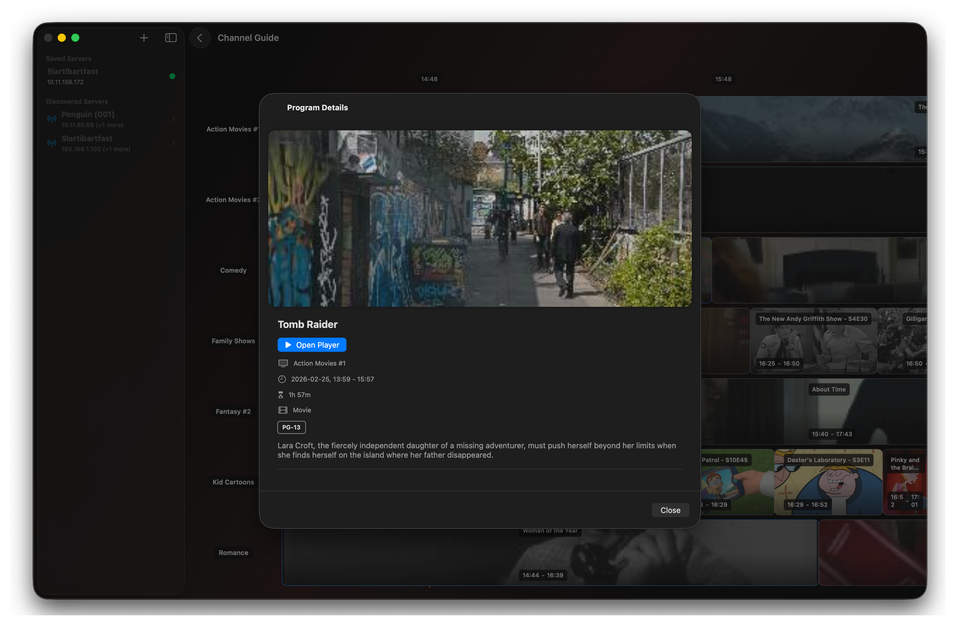
- Fixed channel guide alignment -- time labels in the channel guide now use exact coordinate positioning, matching the current time indicator
- Fixed program detail overflow -- the ProgramDetailSheet thumbnail no longer causes layout overflow on iPhone and iPad
- Fixed reconnection CPU spike -- an infinite SwiftUI invalidation loop caused by mutating
@Observableproperties during view body evaluation has been resolved, along with a brief media browser flash during re-authentication - Fixed stale playback state -- error messages and buffering indicators from a failed playback session no longer persist into the next video
- Fixed history re-render churn -- position auto-save during playback no longer triggers unnecessary re-renders of the history section
- Improved macOS audio layout -- the audio playback view on macOS now uses a clean card-based layout matching the iOS design, replacing the list-style dividers
- Renamed "Albums" to "Music Albums" in library search to distinguish from Photo Albums
- Added Apple Vision Pro support – as a first class target, and a legit Vision Pro app